

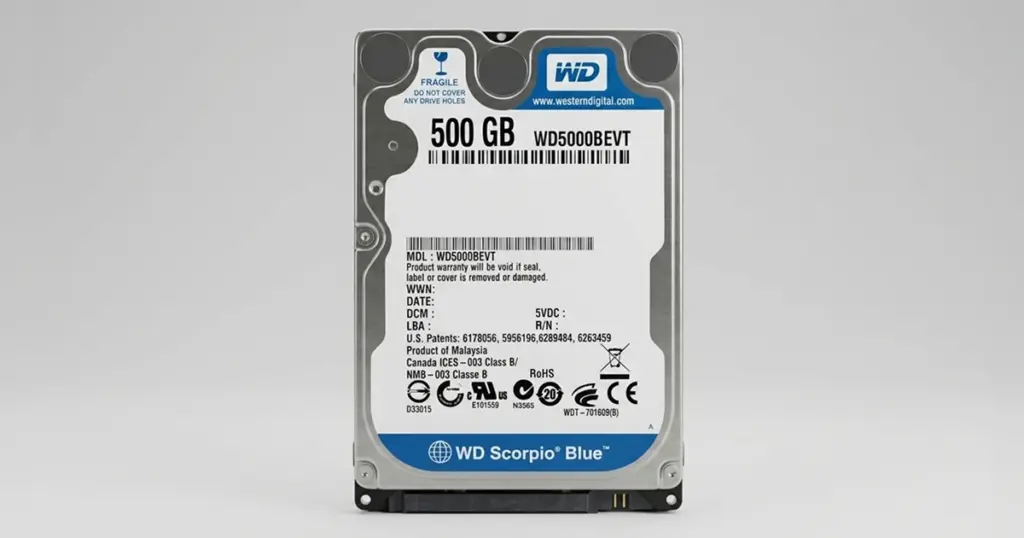
When a primary storage device becomes unrecognized, the immediate impact on business operations or personal archives is severe.
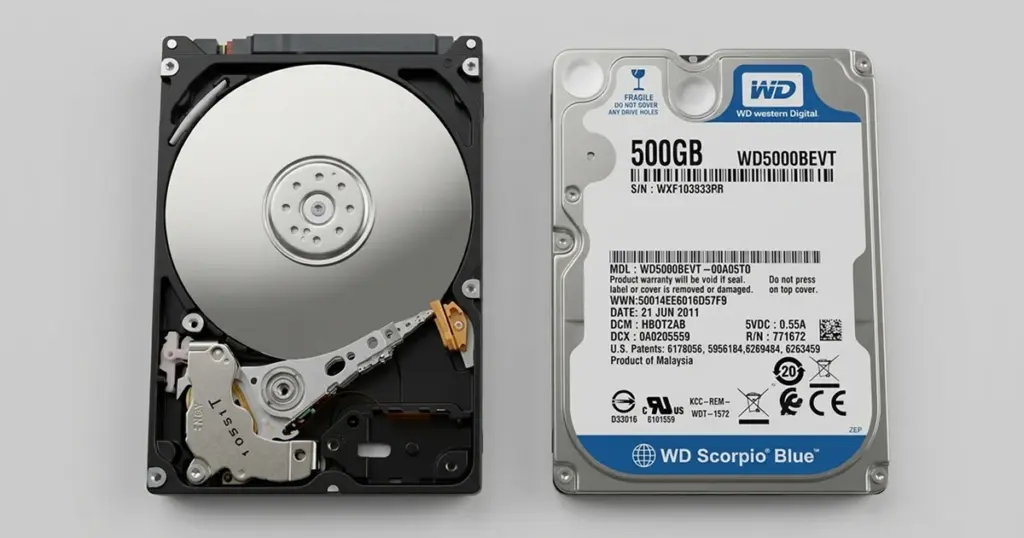
For one client, a sudden system failure involving their WD Scorpio Blue drive resulted in the total loss of access to critical data.
This case highlights how complex physical failures require specialized intervention to ensure successful recovery.
The Client Situation: Critical Data at Risk
The client, a professional firm, faced an emergency when their secondary storage drive ceased to function without warning. The WD Scorpio Blue drive contained years of project archives and essential documentation.
From the user perspective, the drive simply vanished from the operating system. Despite restarting the host machine and attempting to reconnect the drive via external enclosures, the hardware remained invisible.
The situation presented a high-risk scenario where any further attempts to force the drive to mount could have resulted in permanent data loss.
Industry-Leading 99% Success Rate
No hidden fees. No surprises. Just expert data recovery you can trust. We handle everything from simple file loss to extreme data recovery cases. If we can’t recover your data, no one can.
The Failure Analysis: Why the WD Scorpio Blue Became Unrecognized
Diagnostic testing performed by our engineers revealed that the device had suffered a significant power-related event. This incident triggered a cascading failure across the internal components.
The primary damage occurred at the controller board, or PCB, rendering the drive unable to communicate with the system. Further inspection identified instability within the SATA interface and a catastrophic failure of the read/write head assembly.
To learn more about how our specialists approach brand-specific architecture, you can read more about our Western Digital Recovery Service.

The Risks of Further Intervention
When a drive fails at the hardware level, software-based recovery tools are ineffective and dangerous. Attempting to run diagnostic software or repeated reboot cycles on a drive with head assembly damage can lead to permanent scratching of the magnetic platters.
If you are currently experiencing issues where your drive is not seen by your BIOS or Disk Management, it is vital to avoid further power cycles.
For those dealing with similar symptoms, you can learn more about why a WD Caviar Blue Not Detected state requires immediate professional assessment.
Don't Let Data Loss Ruin Your Business
Minimize business disruption. We retrieve lost data fast, so you can focus on what matters.
How PITS Engineers Addressed the Multi-Layer Failure
Successful WD Scorpio Blue data recovery in this instance required a multi-stage approach conducted within our Class 100 cleanroom environment:
PCB Stabilization
Engineers performed a precise swap of the controller board to restore basic communication with the drive firmware.
Head Assembly Replacement
Under controlled conditions, the damaged read/write head assembly was replaced using a donor component that matched the exact specifications of the original drive.d our imaging equipment.
Stabilized Imaging
Once the drive was mechanically stable, specialists created a bit-level image of the data. This process is critical for preventing further wear on the original components.
To see how we handle power-related failures, you can read more about our WD Hard Drive Not Spinning Recovery.
Recovery Outcome: Integrity and Restoration
The recovery process was successful. Following the extraction of the raw data, our quality control team performed a rigorous validation process to ensure the integrity of the recovered files.
The client regained access to all essential project archives, which were subsequently transferred to a secure, encrypted storage medium for delivery.
For those experiencing audible signs of failure, you can read more about WD Click of Death Recovery to understand the urgency of these sounds.

DIY Recovery
Risks permanent data loss
Let the Specialists Handle It
DIY attempts often result in permanent data loss. Our certified recovery specialists use advanced tools in controlled environments for the highest success rate.

24/7 Emergency Service
Lessons Learned: Preventing Future Data Loss
Hard drive failure is often unpredictable, but adopting a proactive strategy minimizes the impact when the unexpected occurs.
- Monitor SMART Status: Use diagnostic tools to check the health of your WD Scorpio Blue. If you see “Reallocated Sector Count” errors, back up your data immediately.
- Power Protection: Use high-quality Uninterruptible Power Supplies (UPS) to prevent the power surges that caused this specific drive’s controller failure.
- The 3-2-1 Rule: Maintain three copies of your data on two different media types, with one copy stored off-site or in the cloud.
- Avoid “Home Remedies”: Never place a drive in a freezer or attempt to open the casing yourself. Contamination in a non-cleanroom environment can destroy the magnetic platters beyond recovery.
Final Takeaway
Data loss caused by hardware failure is an emergency that requires precision and speed.
The complexity of the WD Scorpio Blue architecture means that professional intervention is the only safe path to restoration.
Do not risk your business-critical data by attempting to troubleshoot a failed drive at home.
Frequently Asked Questions
Is it possible to recover data from a physically damaged WD Scorpio Blue?
What should I do immediately if my drive is not detected by my computer?
Can PITS recover data from a WD drive that suffered a power surge?
Why is my WD Scorpio Blue not spinning up?
Get a Free Consultation.
Our recovery experts are ready to assess your device and guide you through the safest path to recovery. Fill out the form to get started.
"*" indicates required fields