

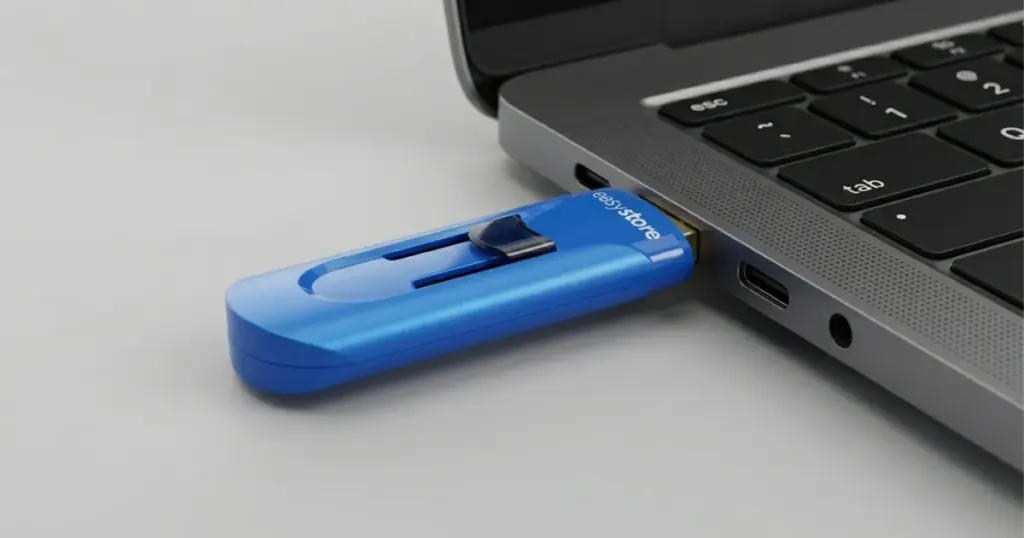
Encrypted flash drives protect data, but they also make recovery more complex when the device fails. If the storage media cannot communicate properly, a standard scan will not unlock or restore the files.
This case study explains how PITS Data Recovery handled a failed WD EasyStore encrypted flash drive with controller damage, password protection, and formatting complications.

Customer Situation: Locked Out of Important Files
A customer contacted PITS Data Recovery after a WD EasyStore encrypted flash drive stopped providing access to important files. The device was password-protected and used hardware encryption, so normal USB troubleshooting could not reach the data.
The customer needed the files back, but the device was no longer usable. Prior formatting added risk because it affected the original file structure, including folder paths, filenames, and file locations.
For users seeing similar WD EasyStore access issues, read more about WD EasyStore flash drive recognition failures.
Don't Let Data Loss Ruin Your Business
Minimize business disruption. We retrieve lost data fast, so you can focus on what matters.
What Went Wrong Technically
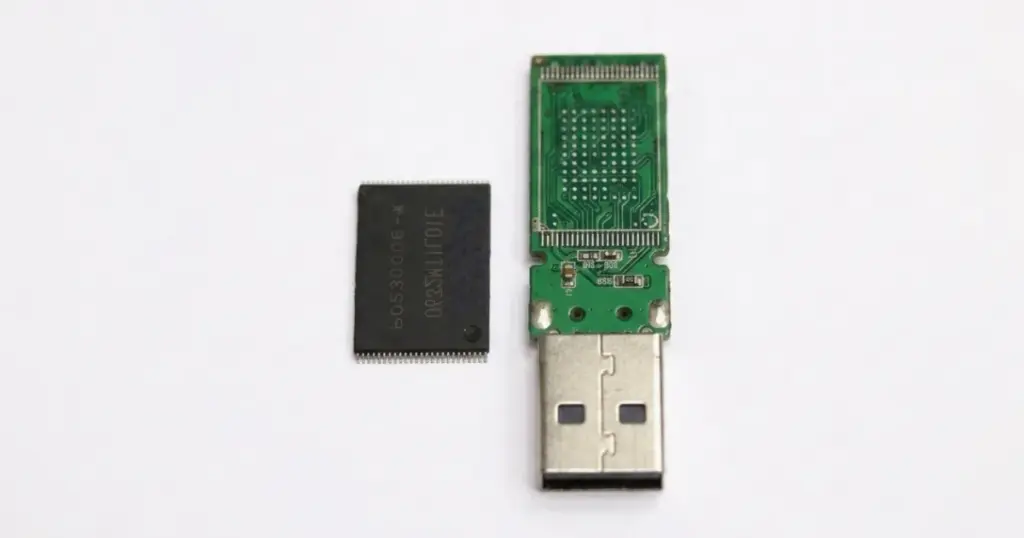
PITS engineers diagnosed a controller-level failure. The damaged memory controller prevented the flash drive from working as a normal USB storage device.
The controller manages access to the NAND memory chip. When it fails, the computer may not recognize the drive, may request formatting, or may show no usable files.
This case was harder because the data was hardware-encrypted. Engineers first had to access the NAND data, then handle decryption and file reconstruction.
For a broader explanation of similar symptoms, learn more about why a flash drive may stop showing up.
What Not to Do After an Encrypted Flash Drive Fails
When an encrypted flash drive stops working, the wrong next step can reduce the chance of recovery. In this case, the device had already been formatted, which made file structure reconstruction harder.
Avoid these actions:
- Do not keep plugging the flash drive into different computers to “test” it.
- Do not run consumer recovery software against a physically unstable device.
- Do not format the flash drive again, even if Windows or macOS prompts you to.
- Do not attempt chip removal or soldering outside a professional lab.
- Do not continue using the device if it briefly reconnects.
Continued use can worsen NAND instability, overwrite recoverable metadata, or complicate encrypted file reconstruction. Read more about corrupted USB flash drive recovery risks.

DIY Recovery
Risks permanent data loss
Let the Specialists Handle It
DIY attempts often result in permanent data loss. Our certified recovery specialists use advanced tools in controlled environments for the highest success rate.

24/7 Emergency Service
Why DIY Software Was Not the Right Path
Recovery software only helps when the device communicates reliably and the file system can be scanned.
This WD EasyStore case involved controller damage, hardware encryption, password protection, and formatting.
Software could not repair the controller, access NAND directly, or rebuild encrypted data safely. This was a lab recovery case, not a basic undelete scenario.

How PITS Approached the Recovery
Step 1: Professional Diagnostics
PITS engineers examined the flash drive in a controlled lab to determine the failure type. Diagnostics confirmed this was not a standard USB file system recovery.
Step 2: Controller Failure Identification
The team identified a failed memory controller, which prevented normal access through the USB interface and required a chip-level recovery approach.
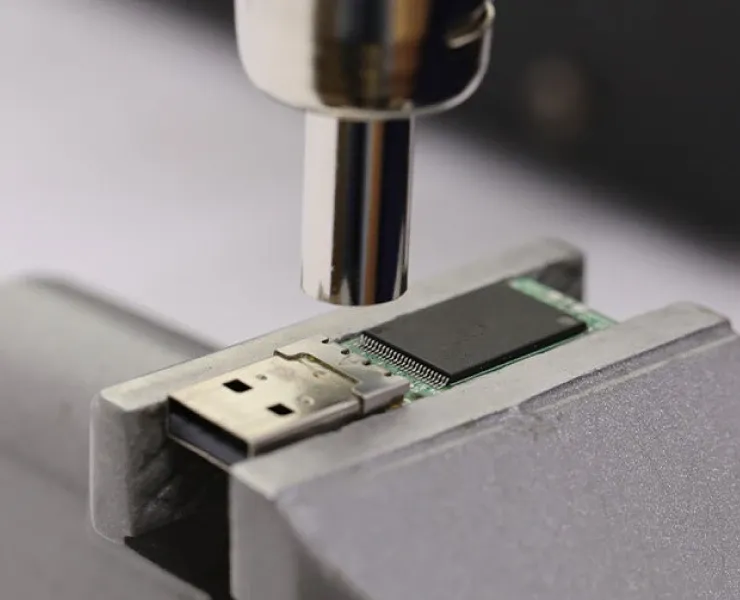
Step 3: NAND Chip Removal and Raw Data Extraction
Engineers carefully removed the NAND chip and extracted raw data for further processing, using precise lab procedures to prevent additional damage.
Step 4: Decryption and Draft Recovery
PITS performed decryption and draft recovery to address password protection, prior formatting, and the loss of the original file structure.
Step 5: File Reconstruction and Verification
Recovered files were rebuilt, transferred to a new flash drive, and verified with the customer through a remote review session.

Your Data Security Is Our Priority
Data privacy isn’t optional. It’s our commitment. Our secure recovery process ensures your sensitive information stays protected from start to finish.
HIPAA Compliant
GDPR Compliant
Secure Facility
NDA Available
Trust in certified security. Start your recovery today! Call Now: 888.611.0737
Recovery Results and Remote File Verification
Critical files were decrypted, reconstructed, and restored to a replacement flash drive. The recovery addressed controller failure, hardware encryption, and prior formatting.
PITS completed a remote file verification session so the customer could review the recovered files, confirm usability, and approve the results before final delivery.
The customer regained access to essential files that standard software could not safely recover.
Industry-Leading 99% Success Rate
No hidden fees. No surprises. Just expert data recovery you can trust. We handle everything from simple file loss to extreme data recovery cases. If we can’t recover your data, no one can.
Why Professional Recovery Mattered
This case highlights why professional intervention is the only viable path for encrypted hardware. Consumer software is designed for logical deletions, not physical controller failures.
Without the ability to perform a chip-off procedure and emulate the encryption logic in a controlled environment, the data would have remained a permanent “black box” of encrypted noise.
Final Takeaway
A failed WD EasyStore encrypted flash drive should be treated as urgent if it is not recognized, requests formatting, or blocks access to password-protected files.
Stop using the device and start a professional evaluation before repeated attempts reduce recovery options. PITS Data Recovery can identify the failure type and determine the safest recovery path.
Certified & Trusted Data Recovery
PITS Data Recovery is certified by leading industry authorities, ensuring secure and compliant data recovery for businesses and individuals.







Frequently Asked Questions
Can files be recovered from a hardware-encrypted WD EasyStore flash drive?
What happens if the flash drive was formatted before recovery?
Should I keep plugging in the flash drive to test it?
Can recovery software fix this type of failure?
How are recovered files verified before final delivery?
Get a Free Consultation.
Our recovery experts are ready to assess your device and guide you through the safest path to recovery. Fill out the form to get started.
"*" indicates required fields