

When a RAID 5 NAS system fails, the expectation of built-in redundancy often creates a false sense of security. In reality, once multiple issues occur across drives or during a degraded state, the entire array can become inaccessible within minutes.
This case outlines how a LaCie NAS failure escalated from a simple warning to complete data loss, and what it took to recover critical business files after the system stopped mounting volumes entirely.

Customer Situation
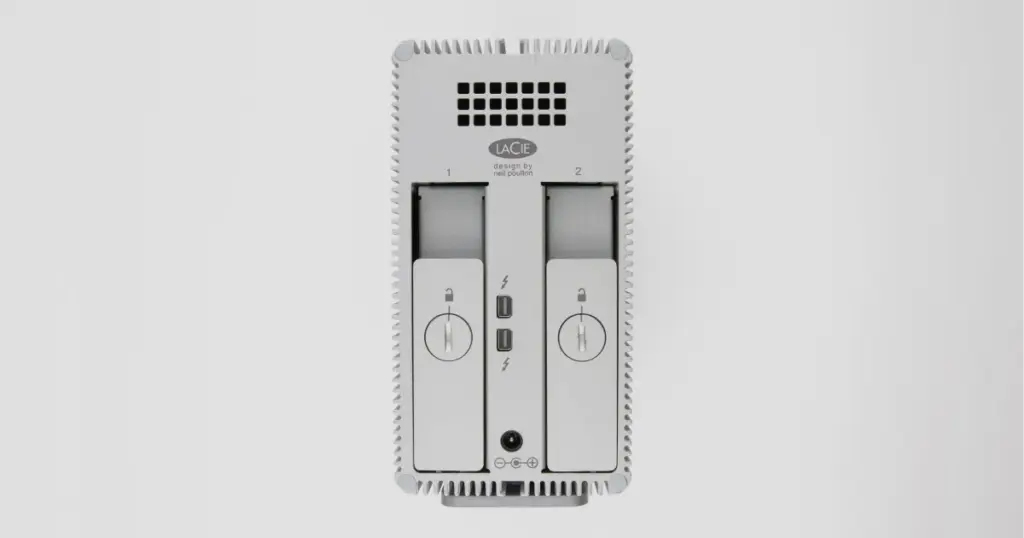
A small creative agency relied on a LaCie NAS configured in RAID 5 to store active client projects, archived media, and collaborative assets. This system functioned as the central storage hub for daily operations, supporting multiple users across design, editing, and project management workflows.
The failure immediately disrupted ongoing client work. Active projects became inaccessible, deadlines were at risk, and internal collaboration stopped. With no recent backup available, the situation carried direct financial and reputational consequences.
Industry-Leading 99% Success Rate
No hidden fees. No surprises. Just expert data recovery you can trust. We handle everything from simple file loss to extreme data recovery cases. If we can’t recover your data, no one can.
What Went Wrong
The failure began with a RAID degradation alert, which is often the first indicator of a disk-level issue. However, the situation escalated quickly.
Key failure symptoms included:
- RAID degraded state triggered by one failed drive
- System freezes during access attempts
- Loss of network visibility for shared folders
- NAS failing to mount volumes after reboot
- Error notifications indicating array inconsistency
At this stage, RAID 5 redundancy was effectively compromised. A second point of instability, whether from another disk or parity inconsistency, resulted in full data inaccessibility.
Learn more about the specific steps and symptoms of NAS drive failure recovery to understand why early intervention is critical.

How PITS Approached the Recovery
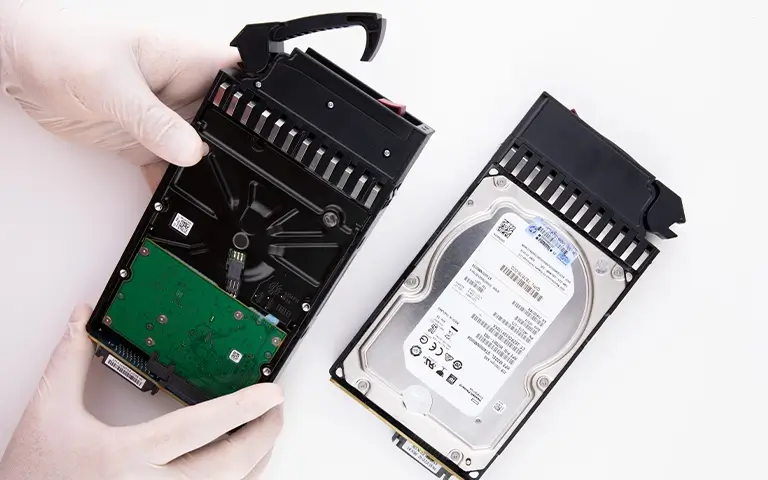
Our engineers bypassed the LaCie hardware entirely to protect the integrity of the remaining data. The process involved several highly technical stages:
Sector-Level Imaging
Each individual drive was cloned using specialized hardware tools that can read around damaged sectors without stressing the drive’s mechanical components.
Virtual Array Reconstruction
Using the bit-for-bit clones, we manually determined the original stripe size, disk order, and parity rotation.
Logical File System Repair
Once the array was virtually assembled, we addressed the metadata inconsistencies caused by the initial system freezes, allowing the folder structure to be visible again.
Read more about our specialized LaCie data recovery services and how we handle proprietary RAID configurations.

Why Professional Recovery Mattered
RAID 5 failures involving multiple issues cannot be safely resolved using software tools or rebuild attempts. In fact, these approaches often make recovery significantly harder.
Key risks of non-professional attempts:
- Incorrect RAID rebuilds overwrite parity and destroy recoverable data
- Software tools cannot handle mixed physical and logical failures
- Continued operation degrades disk surfaces and reduces recovery potential
Professional recovery mitigates these risks by isolating disks, preserving raw data, and reconstructing the array in a controlled environment.
Don't Let Data Loss Ruin Your Business
Minimize business disruption. We retrieve lost data fast, so you can focus on what matters.
Recovery Outcome
The recovery resulted in approximately 97% of data successfully restored, including:
- Active client project files
- Media assets and design archives
- Shared collaboration documents
Most importantly, the recovered data was fully usable. File structures were intact, and critical business operations resumed without the need for reconstruction from scratch.
Learn more about our comprehensive NAS data recovery solutions.
What Not to Do After Data Loss
When a RAID 5 NAS becomes degraded or inaccessible, common troubleshooting steps can make recovery harder.
Avoid the following:
- Rebuilding the RAID array, which may overwrite parity data.
- Rebooting the NAS repeatedly, which adds stress to unstable drives.
- Continuing to use the device after errors appear.
- Running software recovery tools on a physically unstable array.
- Removing or rearranging drives without recording their order.
The safest course of action is to power down the system and preserve the current state of the drives until a professional evaluation is performed.
DIY Recovery
Risks permanent data loss
Let the Specialists Handle It
DIY attempts often result in permanent data loss. Our certified recovery specialists use advanced tools in controlled environments for the highest success rate.
24/7 Emergency Service
Protect Your RAID 5 Data Before It Gets Worse
This case shows how quickly a degraded RAID 5 NAS can escalate into complete data inaccessibility. With one failed drive, disk inconsistencies, and no recent backup, recovery required controlled imaging, RAID reconstruction, and file system repair.
For businesses relying on shared NAS storage, the main lesson is clear: stop using the system at the first signs of RAID failure and avoid rebuild attempts until the drives are professionally evaluated.
Frequently Asked Questions
Can RAID 5 recover from two failed drives?
Is it safe to rebuild a degraded RAID array?
Can software tools recover RAID 5 data?
Can you recover data if multiple drives have failed?
Get a Free Consultation.
Our recovery experts are ready to assess your device and guide you through the safest path to recovery. Fill out the form to get started.
"*" indicates required fields