

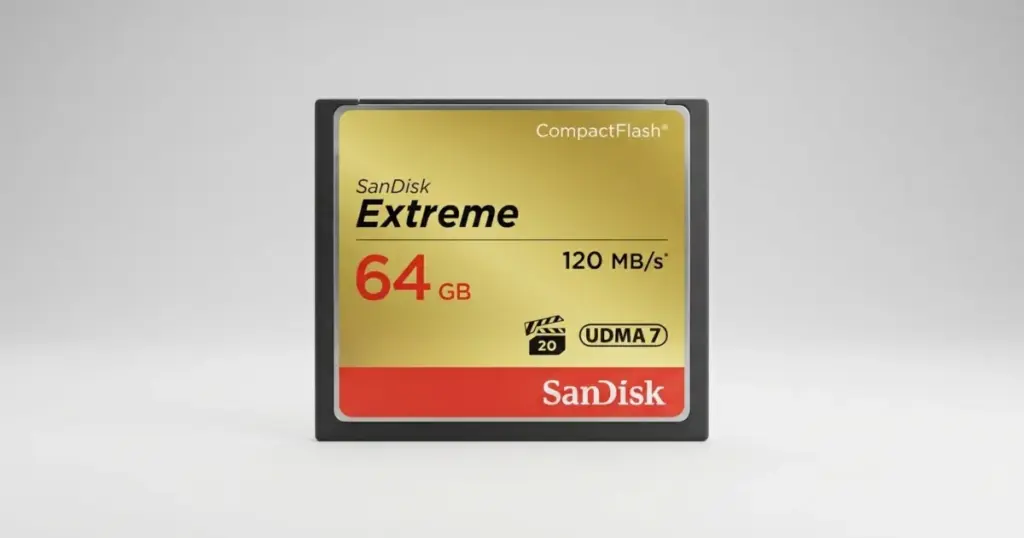
When a CompactFlash card stops responding after a photo shoot, the problem is not always a simple file system error. In some cases, the card is electrically dead and cannot be accessed by a camera, computer, or card reader.
This case study explains how PITS Data Recovery recovered CR2 RAW photo files from a dead SanDisk Extreme 64GB CompactFlash card used in a Canon 5D Mark V. The recovery required chip-off NAND work, controller parameter analysis, XOR reconstruction, and file system rebuilding.
Customer Situation
The customer was a photographer shooting nature photos in upstate New York. The images were stored on a SanDisk Extreme 64GB CompactFlash card used in a Canon 5D Mark V.
When the customer tried to copy the CR2 RAW files to a MacBook, the card was not recognized. They tested the CF card with different computers and USB card readers, but the device remained unreadable.
For a photographer, inaccessible RAW files can mean lost creative work, missed delivery timelines, and a failed project archive. The customer brought the card to PITS Data Recovery before attempting further risky procedures.
Learn more about professional CF card data recovery.

Technical Diagnosis: Dead CF Card With Controller Failure
PITS engineers inspected the SanDisk CompactFlash card and found no visible physical damage. The card body and external contacts did not show obvious signs of impact, bending, or contamination.
Further testing confirmed that the device was completely dead. After removing the protective cover, engineers used thermal imaging and proprietary diagnostics to isolate the fault.
The failure was traced to a damaged controller and central processor. Because the controller could no longer manage access to the NAND chips, the CF card could not communicate normally with the camera, MacBook, or card readers.
Don't Let Data Loss Ruin Your Business
Minimize business disruption. We retrieve lost data fast, so you can focus on what matters.
What Not to Do When a CF Card Is Not Recognized
When a CompactFlash card is not recognized, repeated testing can increase risk. Trying another reader once is reasonable, but continued attempts are unlikely to solve controller-level failure.
Avoid these actions:
- Do not format the card
- Do not run recovery software
- Do not keep reinserting the card into different devices
- Do not attempt physical repair
- Do not open the card outside a professional lab
If the controller or processor is failing, those actions cannot restore communication and may complicate recovery. Learn more about advanced media recovery in this RED PRO CFast data recovery case.

Why Standard Recovery Software Could Not Solve This Case
Recovery software requires the storage device to communicate reliably. In this case, the SanDisk CF card was dead because of controller and processor failure.
That meant software could not scan the card, access the file system, or safely retrieve the CR2 RAW images. The recovery path had to bypass the failed controller and work directly with the NAND memory chips.
This was not a deleted file case. It was a chip-off NAND recovery requiring flash-specific reconstruction.
Industry-Leading 99% Success Rate
No hidden fees. No surprises. Just expert data recovery you can trust. We handle everything from simple file loss to extreme data recovery cases. If we can’t recover your data, no one can.
How PITS Approached the Recovery
Step 1: Board Inspection and Diagnostics
PITS engineers inspected the board and ruled out contact contamination or visible external damage. The card showed no normal response during testing.
Step 2: Thermal Imaging and Fault Isolation
After removing the protective cover, the team used thermal imaging and diagnostics to identify the failed controller and central processor.
Step 3: BGA152 NAND Chip Removal
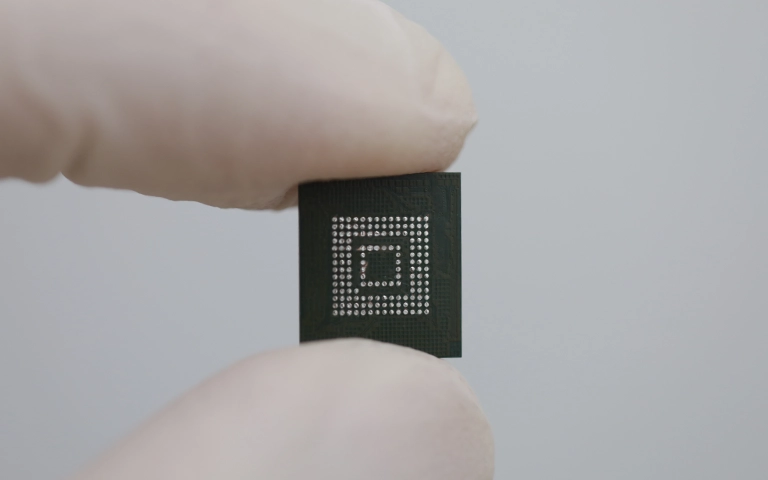
Engineers removed two BGA152 NAND chips from the board using precision hot air tools. This stage required controlled heat, proper chip handling, and clean lab procedures to avoid damaging the memory packages.
Step 4: Raw Binary Data Reading
The NAND chips were cleaned and read with a professional recovery programmer. The raw binary read process took several hours at about 4 MB/s.
Step 5: XOR Reconstruction and File System Rebuild
PITS specialists identified the correct XOR/controller parameters, rebuilt a usable image from the dumps, and reconstructed the file system.
Recovery Results and File Delivery
The CR2 RAW photo files were recovered after NAND extraction, XOR reconstruction, and file system rebuilding. The restored files were prepared and delivered to the customer for access outside the failed CF card.
The result gave the photographer usable access to the image files from a card that could not be read by a MacBook, camera, or USB card reader.
Industry-Leading 99% Success Rate
No hidden fees. No surprises. Just expert data recovery you can trust. We handle everything from simple file loss to extreme data recovery cases. If we can’t recover your data, no one can.
Why Professional CF Card Recovery Mattered
This case required more than a card reader replacement or software scan. The CF card was dead at the controller level, and the RAW files could only be recovered after direct NAND access and advanced flash reconstruction.
PITS succeeded by controlling the full recovery chain: board diagnostics, BGA NAND removal, binary reads, XOR analysis, controller parameter matching, and file system rebuild.
Read more about Lexar CF card recovery services.
Final Takeaway: Protect Your Recovery Options
A SanDisk CompactFlash card that is not recognized after multiple safe access attempts should be treated as a serious failure. Continued testing cannot repair a damaged controller and may add unnecessary risk.
If your CF card contains important RAW photos and no longer appears in your camera, MacBook, or card reader, stop using it and start a professional evaluation.
PITS Data Recovery can diagnose the failure and determine whether chip-off recovery, NAND reconstruction, or another controlled recovery path is required.
Read more about Samsung CF card recovery services.

DIY Recovery
Risks permanent data loss
Let the Specialists Handle It
DIY attempts often result in permanent data loss. Our certified recovery specialists use advanced tools in controlled environments for the highest success rate.

24/7 Emergency Service
Frequently Asked Questions
Can photos be recovered from a dead SanDisk CompactFlash card?
Can recovery software restore files from a dead CF card?
What is chip-off NAND recovery?
Can CR2 RAW files be recovered after controller failure?
Get a Free Consultation.
Our recovery experts are ready to assess your device and guide you through the safest path to recovery. Fill out the form to get started.
"*" indicates required fields