

A USB flash drive can fail in a way that looks final. It may appear in Disk Management, but show No Media or 0 bytes instead of usable storage.
This case study covers a 64GB monolithic USB drive that stopped working while holding business documents, scanned records, and personal photos with no backup. It shows why professional lab recovery was required instead of software recovery.

Customer Situation
The customer contacted PITS Data Recovery after the USB drive stopped working. It was intermittently detected by different computers, but files were completely inaccessible. In Disk Management, the device showed No Media and 0 bytes.
The stakes were immediate. The drive contained business documents, scanned records, and personal photo folders with no backup available.
For users asking whether files can still be restored from a failed USB device, read more about whether flash drive data can be recovered.
Don't Let Data Loss Ruin Your Business
Minimize business disruption. We retrieve lost data fast, so you can focus on what matters.
Why the Drive Showed “No Media” and 0 Bytes
Diagnostics confirmed a controller-level failure. The controller manages communication between the computer and NAND memory. When it fails, the drive may appear empty or unreadable even if data remains in memory.
Key indicators included:
- Intermittent USB detection
- No Media in Disk Management
- 0 bytes capacity
- Inaccessible files and folders
- No stable standard access path
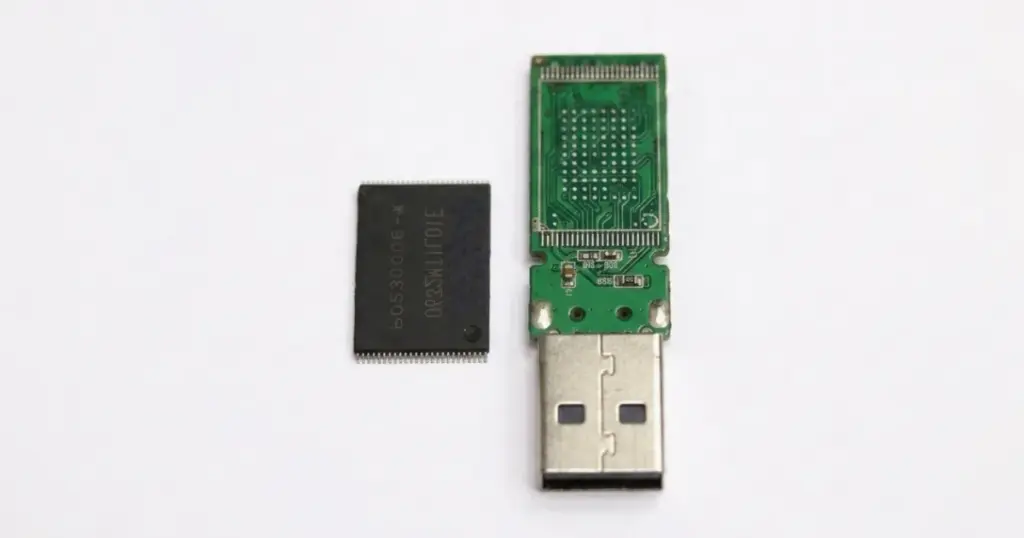
The case was more complex because the device used a monolithic NAND design, limiting standard recovery options. To understand this architecture, learn more about monolithic flash drive recovery.
How PITS Approached the Recovery
Controller Failure Confirmation
Engineers confirmed that the No Media and 0-byte behavior came from controller-level failure, ruling out standard software recovery.
Monolithic NAND Preparation
Because the drive used a monolithic NAND design, standard chip-off recovery was not possible. The device was prepared for direct memory access.
Pinout Identification and Direct Connection
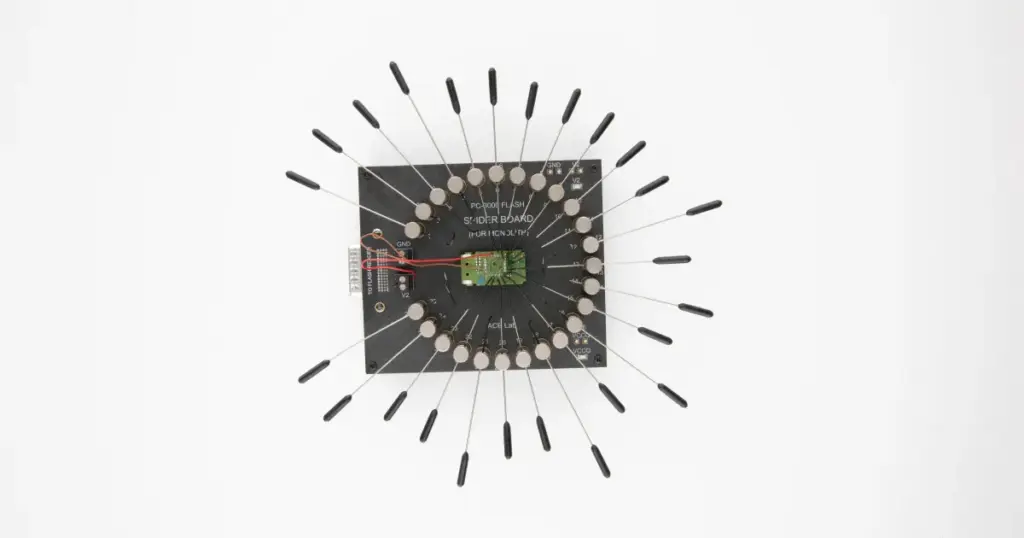
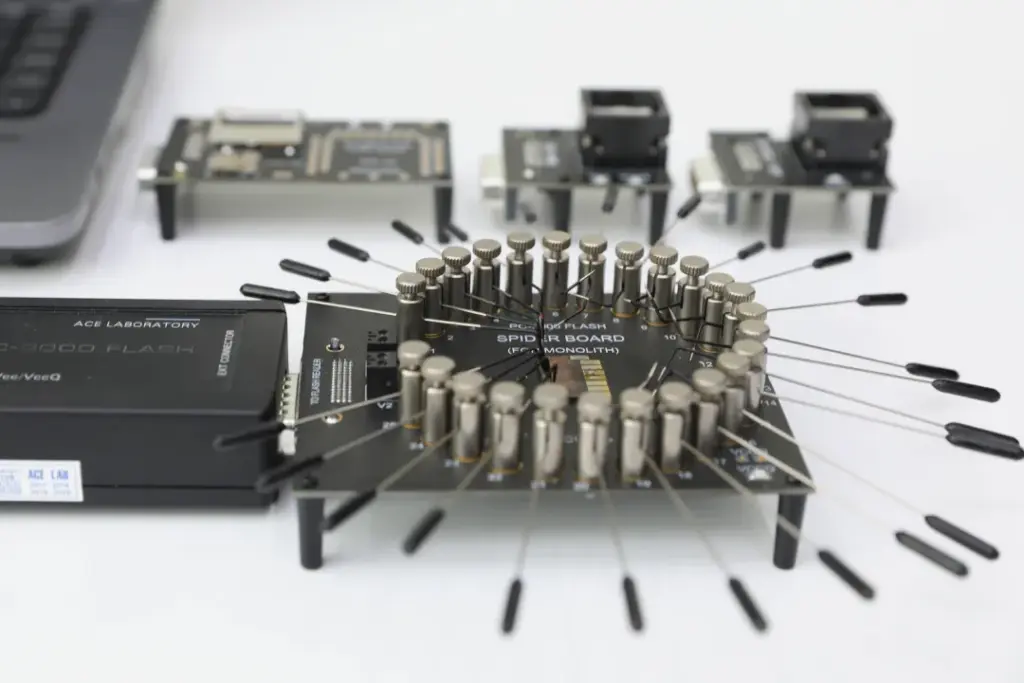
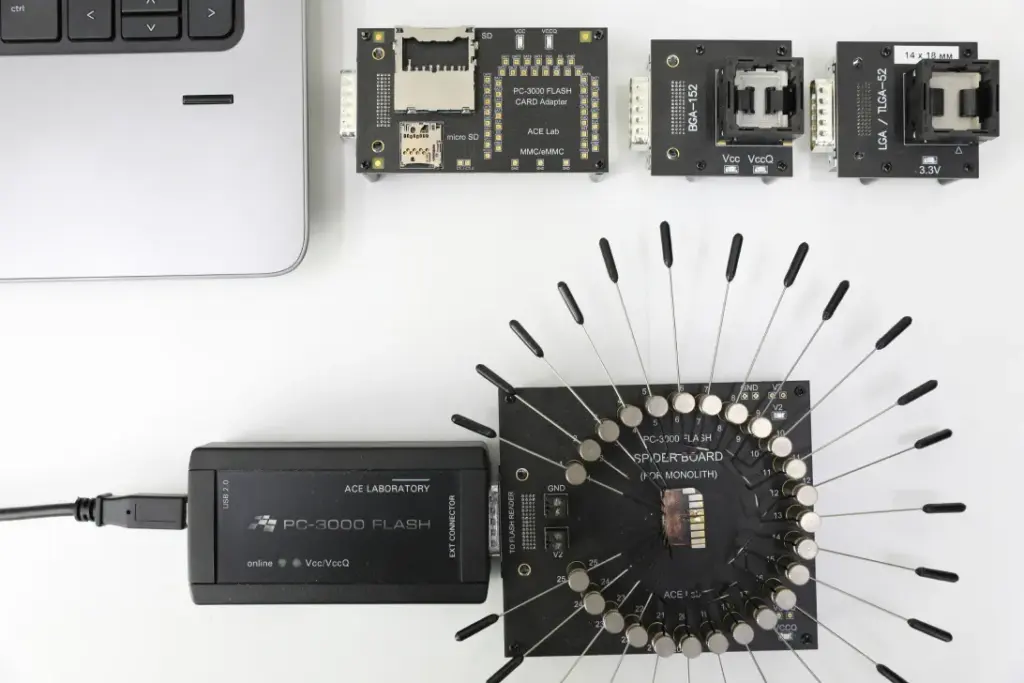
PITS engineers identified the correct pinout and used the PC-3000 Spider Board to connect directly to NAND memory, bypassing the failed controller.
Raw NAND Dump and Error Correction
The team created a raw NAND dump, corrected bit errors, and analyzed the flash translation structure so the data could be reconstructed.
exFAT Rebuild and File Verification
Engineers rebuilt the exFAT file system and verified the recovered files, including folder structure, file names, documents, records, and photos.
59.8GB Recovered From a 64GB USB Drive
PITS Data Recovery restored 59.8GB out of 64GB, approximately 93.4% of the customer’s data. The original folder structure and file names were mostly preserved.
The recovered data included the customer’s priority business documents, scanned records, and personal photo folders that had been inaccessible when the USB showed No Media and 0 bytes.
Industry-Leading 99% Success Rate
No hidden fees. No surprises. Just expert data recovery you can trust. We handle everything from simple file loss to extreme data recovery cases. If we can’t recover your data, no one can.
What Not to Do When a USB Shows No Media
When a USB shows No Media or 0 bytes, stop testing it. Repeated attempts can create unnecessary risk.
Avoid these actions:
- Do not format the USB drive
- Do not create a new partition
- Do not run repeated recovery scans
- Do not keep plugging it into multiple computers
- Do not use repair utilities such as CHKDSK
- Do not save anything to the same USB drive
These actions can make recovery more difficult when the controller or NAND requires lab-level access.
Final Takeaway: Do Not Keep Testing a Failing USB
A USB flash drive showing No Media or 0 bytes may have controller-level failure, especially when detection is intermittent and files are inaccessible. Repeated testing and software scans are not a recovery strategy. They are risk.
If your USB contains important files and suddenly shows No Media, stop using it immediately. Contact PITS Data Recovery to start a professional evaluation before additional attempts complicate recovery.

DIY Recovery
Risks permanent data loss
Let the Specialists Handle It
DIY attempts often result in permanent data loss. Our certified recovery specialists use advanced tools in controlled environments for the highest success rate.

24/7 Emergency Service
Frequently Asked Questions
Can data be recovered from a USB flash drive showing No Media?
Why does a USB flash drive show 0 bytes?
Can recovery software fix a No Media USB drive?
Can folder names and file names be preserved?
Get a Free Consultation.
Our recovery experts are ready to assess your device and guide you through the safest path to recovery. Fill out the form to get started.
"*" indicates required fields