

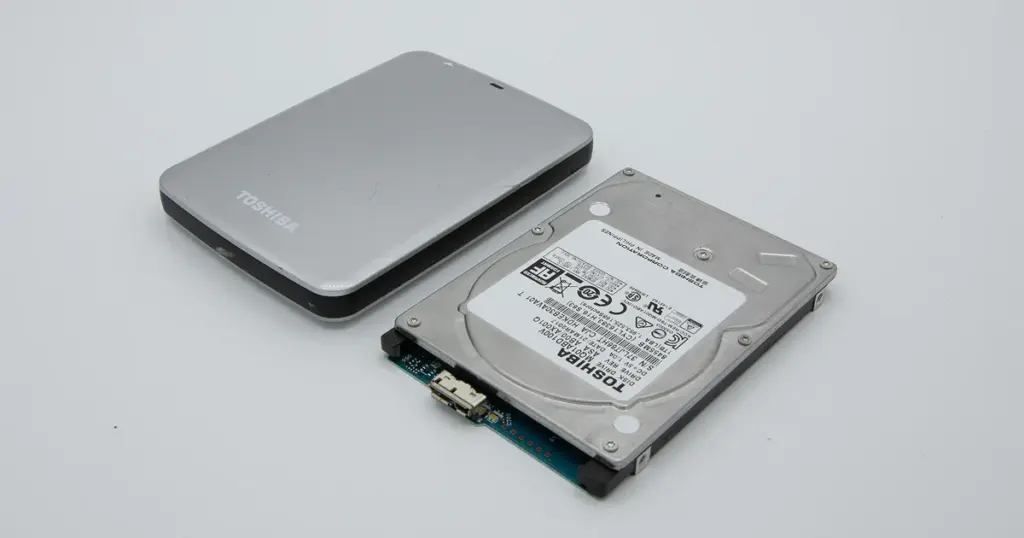
A hard drive failure can turn into a serious data loss event in seconds. In this case, a Toshiba SMR-based hard drive failed after being disconnected during an active write process.
Soon after, the drive started clicking and stopped appearing in the system. The customer lost access to critical files and needed professional recovery to avoid making the damage worse.

Customer Situation
The customer kept important files on the Toshiba drive and expected it to work normally. After it was disconnected during use, the drive started clicking and stopped showing up on the system.
At that point, the issue was simple and urgent: the files were still needed, but the drive could not be accessed, and trying random fixes could have made the damage worse.
Industry-Leading 99% Success Rate
No hidden fees. No surprises. Just expert data recovery you can trust. We handle everything from simple file loss to extreme data recovery cases. If we can’t recover your data, no one can.
What Went Wrong
The drive was disconnected while it was still writing data. That interruption caused a mechanical failure.
In this case, engineers identified a head crash with severe internal damage. The clicking noise suggested the heads could no longer read service data correctly, and the system stopped recognizing the drive.
To see how these symptoms appear in similar cases, read more about Toshiba external hard drive clicking noise recovery.
How PITS Approached the Recovery
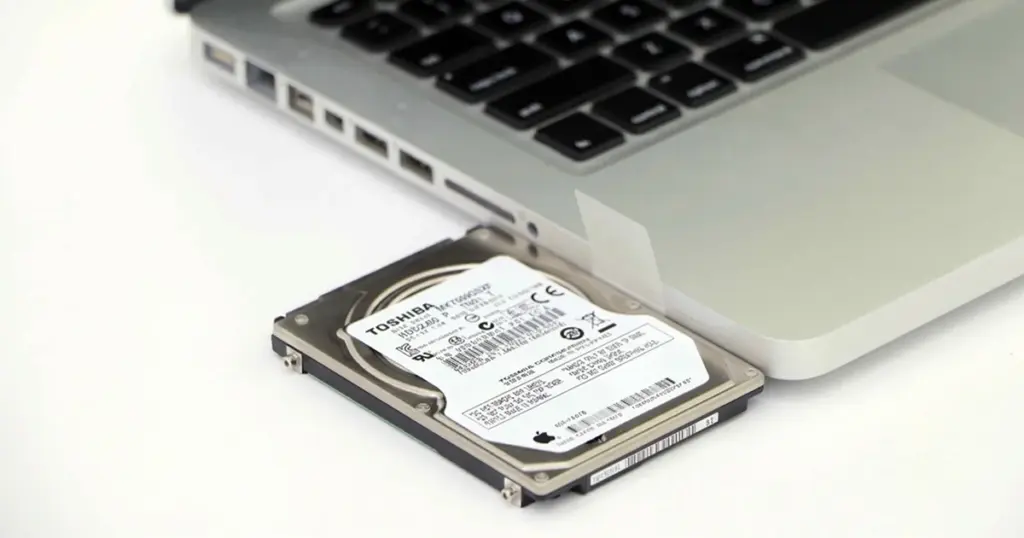
Because the failure was physical, software tools alone were not enough. The drive required cleanroom work and controlled imaging.
The recovery process included:
Cleanroom Intervention
Engineers performed a full evaluation in a certified cleanroom environment, confirming magnetic head failure and platter surface impact.
Head Stack Replacement
Compatible donor components were sourced, and the damaged head assembly was replaced with precision alignment to restore mechanical functionality.
Drive Stabilization
Firmware adjustments and controlled startup procedures were applied to ensure the drive could operate safely for imaging.
Sector-Level Imaging
A full disk image was created, bypassing unstable sectors and preserving as much readable data as possible.
SMR Data Reconstruction
Due to the complexity of SMR architecture, specialized tools were used to reconstruct overlapping data tracks and restore logical file structure.

Why Professional Recovery Mattered
Physical hard drive damage is not a safe DIY situation. Once heads fail or platter damage begins, repeated power cycles and consumer tools can reduce recovery chances.
| Factor | DIY Attempts | Professional Recovery |
|---|---|---|
| Risk of further damage | High | Controlled |
| Tools and environment | Consumer-level | Cleanroom and specialized tools |
| Data integrity | Often compromised | Carefully handled |
| Suitability for physical damage | Poor | Appropriate |
For another example involving damaged Toshiba hardware, read more about broken Toshiba Canvio external hard drive recovery.
Don't Let Data Loss Ruin Your Business
Minimize business disruption. We retrieve lost data fast, so you can focus on what matters.
Recovery Outcome
After the drive was stabilized and imaged, engineers reconstructed the file system and validated the recovered data.
The client regained access to critical business files needed to resume operations. The recovered data was transferred to a new device and checked for usability.
What Not to Do After Data Loss
- Do not keep powering on a clicking drive. Each attempt can cause the damaged heads to make further contact with the platter, increasing data loss.
- Do not run recovery software. Tools designed for logical issues cannot handle physical damage and may stress the drive further.
- Do not disconnect and reconnect the drive repeatedly or try different cables and ports hoping for a different result.
- Do not open the drive outside a cleanroom environment, as dust contamination can severely complicate recovery.
In situations like this, stopping early and avoiding trial-and-error attempts preserves the best possible recovery conditions.

DIY Recovery
Risks permanent data loss
Let the Specialists Handle It
DIY attempts often result in permanent data loss. Our certified recovery specialists use advanced tools in controlled environments for the highest success rate.

24/7 Emergency Service
Start Your Secure Recovery Evaluation
This case shows how a simple handling mistake can lead to serious mechanical failure. With SMR-based drives, the recovery process can become even more complex.
If your drive is clicking, not recognized, or failed after being disconnected during use, the safest next step is a professional evaluation. Early action helps limit additional damage and improves the odds of a controlled recovery.
For a related Toshiba case, learn more about Toshiba Canvio Flex data recovery.

Frequently Asked Questions
Can data be recovered from a clicking hard drive?
What causes a head crash in a hard drive?
Can software fix a clicking hard drive?
Does PITS recover data from SMR drives?
Get a Free Consultation.
Our recovery experts are ready to assess your device and guide you through the safest path to recovery. Fill out the form to get started.
"*" indicates required fields