

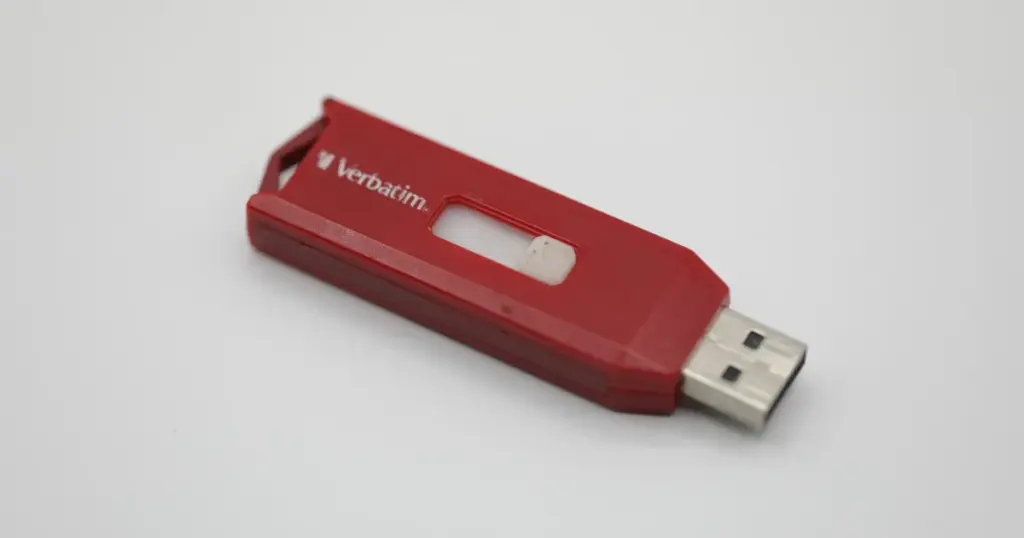
It started with a single error message. A professional user plugged in their Verbatim USB flash drive, expecting to access critical project files, only to be met with a “Device Not Recognized” notification.
After a few more attempts, the drive began dropping its connection intermittently before eventually prompting a “Format Disk” request.
The user was facing a classic flash media crisis: the data was visible one moment and gone the next, trapped behind a failing hardware interface.
Customer Situation and Stakes
A small business owner relied on a Verbatim USB flash drive to store operational documents, financial records, and project files.
The failure began with intermittent disconnections. Shortly after, the drive stopped being recognized consistently. When it did appear, the system displayed empty folders or requested formatting. At that point, the customer could no longer access essential files required for daily operations.
Business continuity was directly impacted. Without those files, invoicing, reporting, and ongoing client work were delayed. The risk was not just data loss, but operational downtime and financial disruption.
Industry-Leading 99% Success Rate
No hidden fees. No surprises. Just expert data recovery you can trust. We handle everything from simple file loss to extreme data recovery cases. If we can’t recover your data, no one can.
What Went Wrong
The failure presented multiple red flags:
- USB drive not recognized consistently by the system
- Random disconnections during use
- “Drive needs to be formatted” error messages
- Empty folders despite previously stored data
These symptoms typically indicate a deeper issue beyond simple file corruption. In this case, the behavior strongly suggested controller instability combined with logical corruption within the file system.
You can learn more through the Verbatim-focused recovery approach in a detailed breakdown.

Failed Initial Actions
Before seeking professional help, the customer attempted basic troubleshooting:
- Reconnecting the device multiple times
- Trying different USB ports and systems
- Attempting to open files despite errors
These actions may seem harmless but can accelerate degradation in flash storage. Repeated access attempts on a failing controller can lead to:
- Permanent data overwrites
- Increased corruption of NAND memory mapping
- Reduced chances of successful recovery
Emergency Data Recovery Services
Unexpected data loss? Whether it’s a crashed system, failed storage device, or accidental deletion, our 24/7 emergency recovery service ensures priority assistance to retrieve your critical data.
Technical Diagnosis
Engineering analysis confirmed a controller failure combined with logical file system corruption.
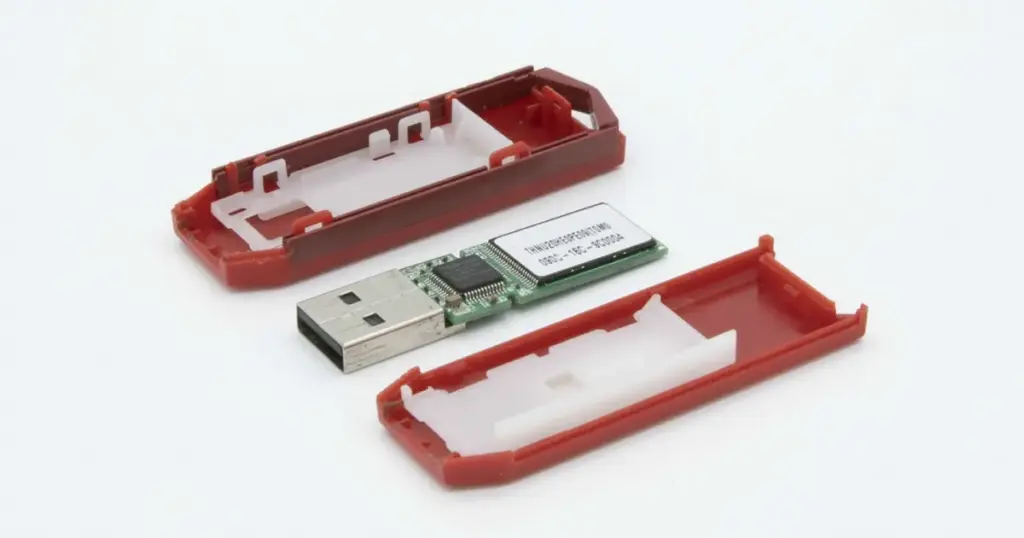
The controller, which manages communication between the USB interface and NAND memory, was no longer functioning reliably. As a result, the system received inconsistent or incomplete data, leading to errors such as empty directories and format prompts.
This type of failure is not accessible through software-based recovery tools because the data pathway itself is compromised.

How PITS Approached the Recovery
Step 1: Controller Isolation
Engineers separated the failed controller from the NAND memory to eliminate interference and allow direct data access.
Step 2: NAND Chip Extraction
The NAND chips were carefully removed and read using specialized equipment, bypassing the damaged USB interface.
Step 3: Raw Data Acquisition
A full binary image of the NAND memory was extracted. At this stage, the data existed in an unstructured and encoded format, not yet usable as standard files.
Step 4: Data Reconstruction
Advanced algorithms rebuilt the file system, reassembling fragmented blocks and correcting corruption.
Step 5: File Validation
Recovered data was organized and verified to ensure files were intact and fully accessible.
For a broader understanding of these methods, you can read more about professional flash drive recovery services and processes.
Recovery Outcome
The recovery resulted in the majority of critical files restored in a usable state. Key business data was successfully accessed, allowing operations to resume without major disruption.
The reconstructed file system maintained structure, enabling quick reintegration. To see how recovered data is validated before delivery, you can learn more about the file verification process used to ensure integrity.
Don't Let Data Loss Ruin Your Business
Minimize business disruption. We retrieve lost data fast, so you can focus on what matters.
Why Professional Recovery Mattered
This scenario highlights a clear distinction between DIY attempts and professional recovery.
DIY or software tools:
- Cannot access data when the controller has failed
- Risk overwriting recoverable sectors
- Misinterpret corrupted file systems as empty drives
Professional recovery:
- Uses hardware-level access to bypass failed components
- Reconstructs data from raw NAND memory
- Preserves data integrity throughout the process
Once a USB device begins disconnecting or requesting formatting, continued use significantly reduces recovery probability.
What Not to Do After USB Data Loss
Avoid the following:
- Formatting the drive when prompted
- Running multiple recovery tools repeatedly
- Attempting to repair the file system
- Continuing to plug and unplug the device
- Writing new data to the drive
Each of these actions can overwrite or further corrupt recoverable data. The safest course is to stop using the device and seek professional evaluation.
Taking the wrong steps after a USB failure can permanently reduce recovery chances.

DIY Recovery
Risks permanent data loss
Let the Specialists Handle It
DIY attempts often result in permanent data loss. Our certified recovery specialists use advanced tools in controlled environments for the highest success rate.

24/7 Emergency Service
Start Your Secure Recovery Evaluation
Flash drive failures escalate fast, especially with controller damage. What starts as minor access issues can quickly lead to permanent data loss.
If your USB shows errors or requests formatting, stop using it immediately. Delay increases risk.
For urgent cases, you can read more about emergency recovery options designed to accelerate turnaround and protect critical data.
Frequently Asked Questions
Can data be recovered from a USB flash drive that is not recognized?
Is it safe to use recovery software on a failed flash drive?
Is it possible to recover data if the USB is physically broken?
Why does my computer say I need to format the drive?
Get a Free Consultation.
Our recovery experts are ready to assess your device and guide you through the safest path to recovery. Fill out the form to get started.
"*" indicates required fields