

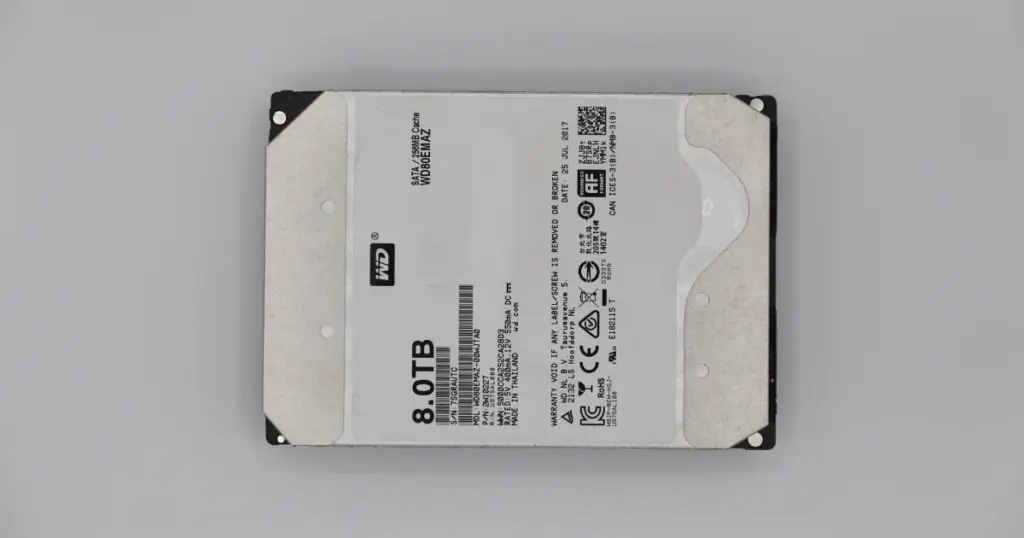
When a Western Digital 8TB hard drive stops being detected after a power failure, the problem is rarely just a cable, port, or software issue.
In many cases, the damage starts at the electronics level and can quickly put the stored data at risk.
This case study shows how PITS Data Recovery handled a failed WD80EMAZ 8TB hard drive that stopped responding after a home power system failure.
Customer Situation
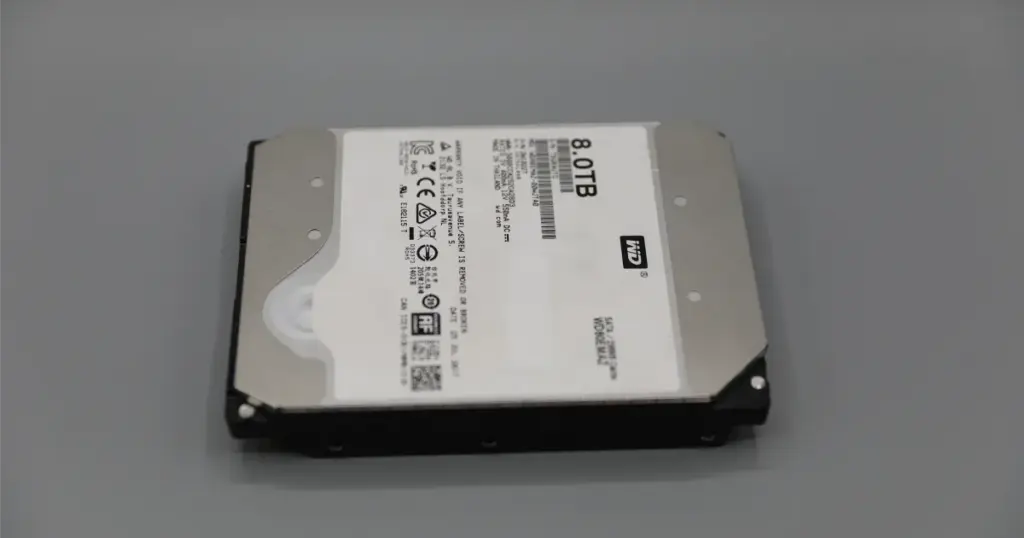
The customer was an individual using a Western Digital WD80EMAZ 8TB HDD as a personal storage device in a home computer setup. After a power system failure damaged the computer, the hard drive was no longer detected.
The stakes were immediate. The drive contained important personal files, and the customer had no reliable way to confirm whether the data was still intact.
Before contacting PITS, the customer tried basic troubleshooting, including different connectors and setups. None restored access. At that point, further testing could have created more risk than value.
Don't Let Data Loss Ruin Your Business
Minimize business disruption. We retrieve lost data fast, so you can focus on what matters.
What Went Wrong
PITS identified a combined electrical and media-level failure:
- Failure type: Electrical PCB damage with bad sectors
- Primary symptom: WD 8TB hard drive not detected
- Cause pattern: Power-related damage after a home system failure
- Main risk: Repeated power-on attempts could worsen instability
The PCB, or printed circuit board, controls communication between the hard drive and the computer. When it is damaged, the drive may fail to initialize or remain completely undetected.
If a hard drive stops being detected after a power event, do not keep testing it with new cables, docks, or computers. Every failed startup attempt can increase the risk of permanent data loss.
Read more about common causes of a WD hard drive not detected
condition and why repeated testing can increase risk.

How PITS Approached the Recovery
Controlled Evaluation
The recovery team first evaluated the Western Digital WD80EMAZ 8TB HDD to determine whether the failure was logical, electrical, mechanical, or media-related. The diagnosis confirmed a burnt PCB and bad sectors.
Drive Stabilization
Because the original board was damaged, PITS replaced the PCB with a compatible board. This step restored the path for drive-level communication, but it was not a simple part swap.
ROM Chip Transfer
The ROM chip was transferred from the damaged PCB to the replacement board. This was critical because drive-specific adaptive data is often required for the hard drive to initialize correctly.
Drive Stabilization
Once the board-level issue was addressed, the team stabilized the drive for controlled access. The bad sectors required a careful extraction strategy to avoid unnecessary stress on weak areas.
Data Extraction and Transfer
PITS used specialized recovery methods to extract the accessible data and transferred the recovered files to a new hard drive for final delivery.

Why Professional Recovery Mattered
This case highlights the gap between software-based “recovery” and true laboratory engineering. DIY software cannot fix a burnt PCB, and a standard repair shop lacks the tools to transfer ROM adaptives.
By choosing a professional lab, the client avoided the common mistake of “forcing” a damaged drive to run, which often results in the heads scratching the platters and making data 100% unrecoverable.
Learn more about professional Western Digital hard drive recovery for failed, damaged, or undetected WD drives.
Industry-Leading 99% Success Rate
No hidden fees. No surprises. Just expert data recovery you can trust. We handle everything from simple file loss to extreme data recovery cases. If we can’t recover your data, no one can.
Recovery Outcome
PITS successfully recovered the customer’s data from the 8TB Western Digital hard drive and delivered the restored files on a new hard drive.
The customer regained access to approximately 7.4 TB of personal data, including documents, media files, archives, and stored backups.
The recovery restored access to the majority of the customer’s important files without relying on risky consumer software or repeated system-level testing.
For insights into how we handle even more severe mechanical issues, read more about WD10JMVW clicking hard drive data recovery.

What Not to Do After Data Loss
If your Western Digital hard drive stops being detected after a power failure, avoid actions that can make recovery harder:
- Do not keep powering the drive on and off.
- Do not run data recovery software if the drive is unstable or undetected.
- Do not keep testing it with different computers, docks, or adapters.
- Do not replace the PCB without proper ROM transfer and compatibility checks.
- Do not open the drive outside a professional environment.

DIY Recovery
Risks permanent data loss
Let the Specialists Handle It
DIY attempts often result in permanent data loss. Our certified recovery specialists use advanced tools in controlled environments for the highest success rate.

24/7 Emergency Service
Secure Your Data Before It’s Too Late
Electrical damage is progressive. If your Western Digital drive is not detected or has suffered a power surge, stop all DIY attempts immediately. Continued use can turn a recoverable electrical issue into a permanent mechanical failure.
Contact PITS Data Recovery today for a professional evaluation and secure your recovery priority.
Frequently Asked Questions
Can data be recovered from a WD 8TB hard drive that is not detected?
How do I know if my PCB is burnt?
Is it safe to try recovery software on a drive that won't spin?
What should I do immediately after a power surge?
Get a Free Consultation.
Our recovery experts are ready to assess your device and guide you through the safest path to recovery. Fill out the form to get started.
"*" indicates required fields