

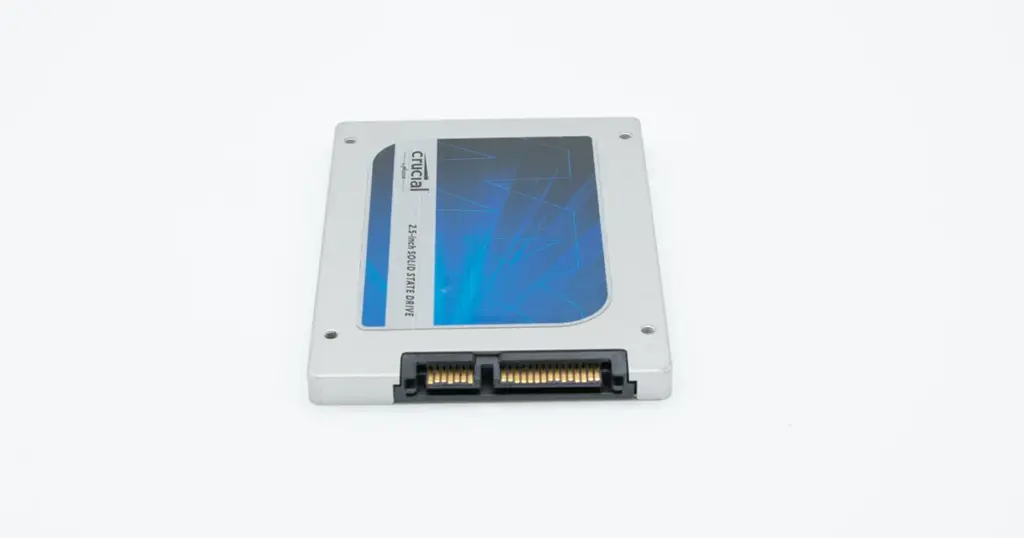
A construction company in Utah contacted PITS Data Recovery after a sudden office power outage left a Crucial SSD unstable and inaccessible.
The drive was installed in a project workstation and contained CAD drawings, contracts, permits, project photos, and active job documentation.
After the system rebooted, the SSD was sometimes missing from the computer. When it appeared, it showed as RAW or unallocated, and attempts to open it caused freezing and I/O errors.
Customer Situation
The customer used the workstation for active construction project management. Several files on the Crucial SSD were being updated when the power outage occurred.
The company had already tried restarting the computer and running basic repair tools. These attempts did not restore access and increased concern that the file system or SSD translation layer had been damaged.
Industry-Leading 99% Success Rate
No hidden fees. No surprises. Just expert data recovery you can trust. We handle everything from simple file loss to extreme data recovery cases. If we can’t recover your data, no one can.
Symptoms of the SSD Failure
When the IT director attempted to troubleshoot, the drive exhibited several classic signs of hardware instability:
- The SSD was only detected by the BIOS intermittently.
- In Disk Management, the drive appeared as RAW or Unallocated.
- Attempts to access the file directory resulted in system freezing and I/O device errors.
- Standard software utilities were unable to mount the volume.
To understand more about specific drive failures, you can read more about Crucial SSD recovery options.

The Risks of DIY Repair Attempts
The client initially tried to use basic Windows repair tools and third-party “undelete” software.
However, these tools are designed for logical deletions, not hardware-level corruption. Running such software on a failing SSD can actually accelerate NAND wear or cause the controller to lock permanently.
Repeatedly power-cycling a failed SSD or running “fix-it” utilities can overwrite the internal map (Flash Translation Layer), making data permanently unrecoverable.
For more information on handling drive errors, learn more about managing Crucial T700 file corruption issues.
Don't Let Data Loss Ruin Your Business
Minimize business disruption. We retrieve lost data fast, so you can focus on what matters.
How PITS Managed the Recovery
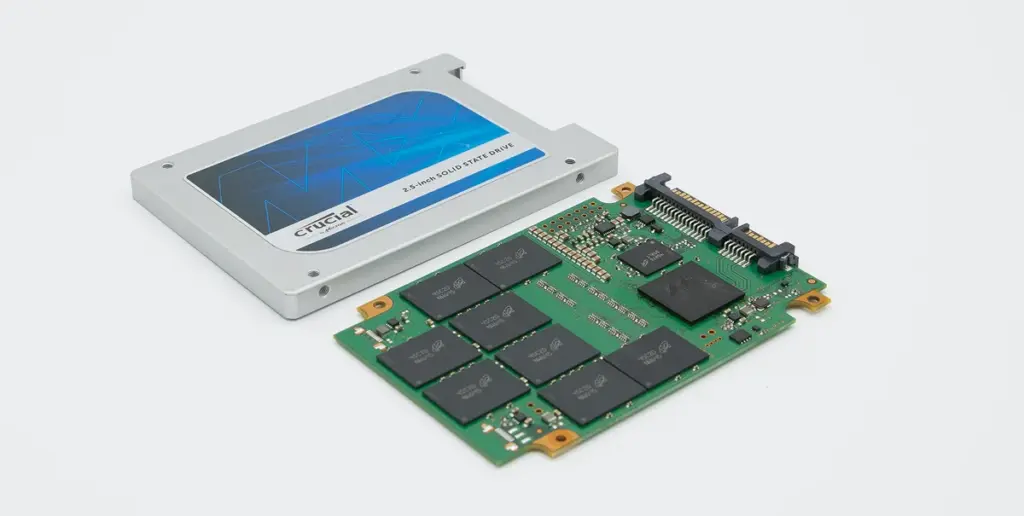
Our engineering team identified that the power loss occurred during a “write” operation, causing a corruption of the SSD’s firmware and the Flash Translation Layer (FTL).
Stabilization
We used specialized hardware to bypass the corrupted controller instructions.
Sector-Level Imaging
A bit-for-bit clone of the NAND chips was created to prevent further drive degradation.
File System Reconstruction
Engineers manually rebuilt the corrupted file structure from the raw image.
To see how we handle specific drive architectures, read more about Crucial P3 Plus SSD data recovery.

Why Professional Recovery Mattered
Unlike traditional hard drives, SSDs use complex “garbage collection” and wear-leveling algorithms. When power is lost, the drive’s internal map can become scrambled.
Professional recovery labs use tools that communicate directly with the factory-level microcode to reorganize this data, a feat impossible for standard software.
If an SSD shows as “RAW” after a crash, the data is usually still there, but the “map” is broken. Stop using the drive immediately to preserve the current state of the NAND cells.

DIY Recovery
Risks permanent data loss
Let the Specialists Handle It
DIY attempts often result in permanent data loss. Our certified recovery specialists use advanced tools in controlled environments for the highest success rate.

24/7 Emergency Service
Recovery Outcome
The recovery was successful. Most CAD drawings, project documents, permits, contracts, and photos were restored.
A small number of files that were actively being written during the outage were partially damaged. This was consistent with the failure scenario and was communicated clearly to the customer.
The client regained access to the majority of operational files needed to continue project work.
Start Your Secure Recovery Evaluation
Data loss in the construction industry can lead to expensive project delays and legal complications.
This case demonstrates that even when a drive appears unallocated or causes system freezes, professional recovery is often possible if the media is handled correctly.
Facing an urgent SSD failure? Don’t risk further damage with DIY software. Contact PITS Data Recovery for a professional media evaluation and a secure recovery plan.
Emergency Data Recovery Services
Unexpected data loss? Whether it’s a crashed system, failed storage device, or accidental deletion, our 24/7 emergency recovery service ensures priority assistance to retrieve your critical data.
Frequently Asked Questions
Can data be recovered from a Crucial SSD after a power outage?
Why does my SSD show as RAW after a sudden shutdown?
Why does the computer freeze when I open the SSD?
Can CAD files be recovered if they were open during the outage?
Get a Free Consultation.
Our recovery experts are ready to assess your device and guide you through the safest path to recovery. Fill out the form to get started.
"*" indicates required fields