


When a primary storage drive fails, the impact on productivity and data security is immediate.
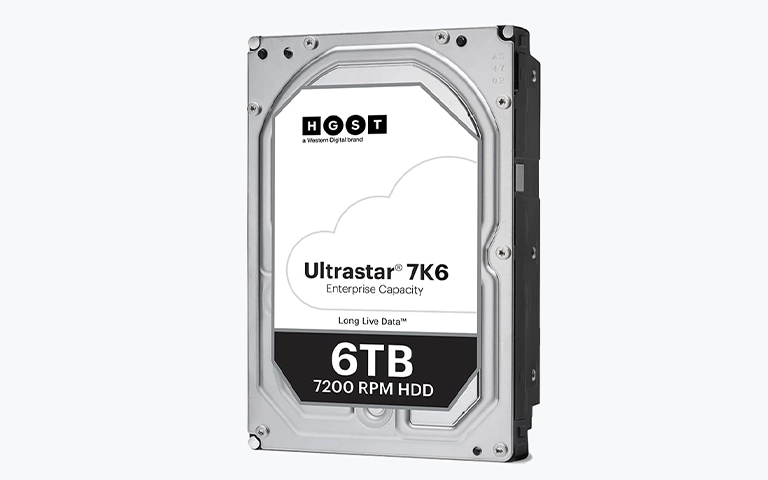
This case study details a successful recovery performed by PITS Data Recovery on an HGST hard drive that suffered from both significant physical hardware damage and logical file system corruption.
The Challenge: From Slow Performance to Total Failure
A remote professional in California reached out to our team after their desktop PC stopped booting entirely.
The situation began with subtle warning signs, the system had slowed down significantly, and applications took minutes to respond. Soon after, the operating system reported a partition error.
Unfortunately, the user continued to operate the drive in this degraded state, hoping to secure a few more files before the device failed completely. This continued use placed immense stress on already failing hardware.
For those using similar storage devices in a professional capacity, you can learn more about our specialized HGST hard drive recovery services to understand why early intervention is critical for these specific models.
Industry-Leading 99% Success Rate
No hidden fees. No surprises. Just expert data recovery you can trust. We handle everything from simple file loss to extreme data recovery cases. If we can’t recover your data, no one can.
What Went Wrong: A Multi-Layered Hardware Failure
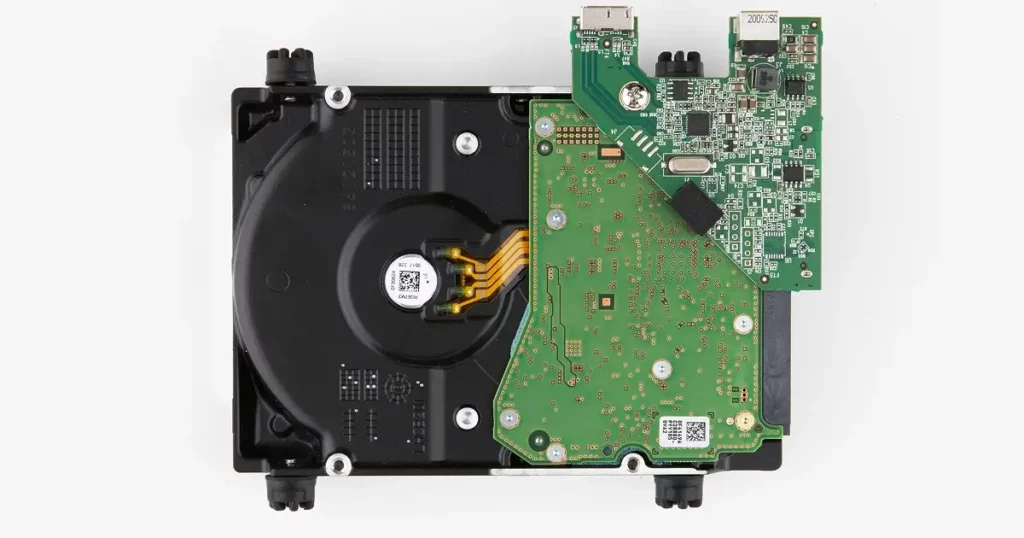
Upon arriving at our lab, the HGST drive underwent a comprehensive diagnostic evaluation. Our engineers identified multiple hardware faults on the printed circuit board (PCB), specifically two damaged resistors and a damaged diode.
Furthermore, the spindle motor, which is the mechanical heart of the drive, was completely jammed.
The root cause of this catastrophic failure was a defective connector. This faulty connection triggered a short circuit that damaged components on the motherboard and prevented the motor from spinning the platters.
To better understand the mechanical vulnerabilities and electronic failure modes of these drives, you can read more about HGST drive recovery and how our engineers address physical damage.
If a hard drive slows down significantly or begins making unusual noises, shut it down immediately. Continued power cycles on a drive with hardware faults can cause the read/write heads to scrape the platters, leading to permanent, unrecoverable data loss.
Resolving the "Invalid Partition" Error and MBR Damage
Even after the physical components were stabilized, the drive presented a complex logical failure. The Master Boot Record (MBR) partition table was corrupted.
Our analysis showed that more than two partitions were incorrectly marked as “active,” a conflict that caused the system to report an “Invalid Partition” error.
This logical corruption required advanced engineering to manually reconstruct the partition table. Dealing with such intricacies is a standard part of our work, especially with high-density storage.
You can read more about HGST 10TB Helium HDD data recovery to see how these logical and physical challenges scale with modern, high-capacity hardware.
Don't Let Data Loss Ruin Your Business
Minimize business disruption. We retrieve lost data fast, so you can focus on what matters.
The Engineering Process: Step-by-Step Recovery
Restoring the data required a precise, two-stage approach involving both mechanical repair and logical reconstruction.
PCB Component Repair
Engineers replaced the damaged resistors and diode on the circuit board to restore electrical stability.
Mechanical Intervention
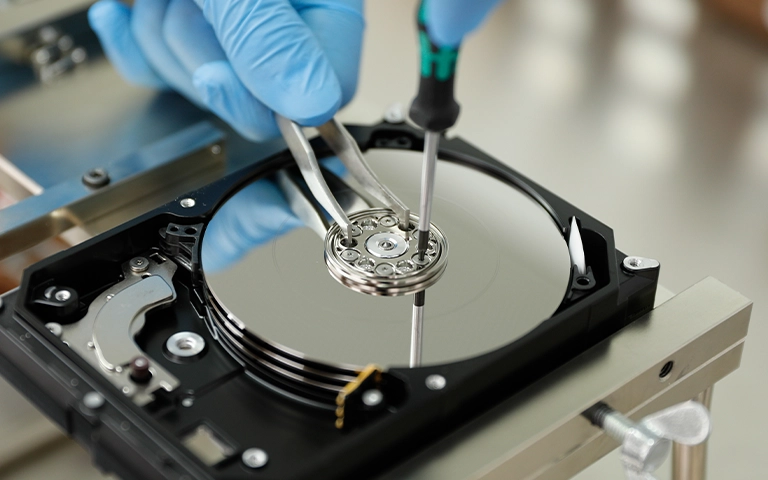
In a certified Cleanroom environment, the jammed spindle motor was freed and calibrated to allow the platters to spin safely.
Secure Imaging
Once the drive was operational, we created a bit-for-bit clone of the media. This ensures that the recovery work is performed on a copy, protecting the original failing hardware from further wear.
Logical Repair
Using specialized recovery tools, engineers repaired the corrupted MBR and resolved the “active partition” conflicts.
Data Extraction
With the file system stabilized, the critical professional documents were successfully extracted and moved to secure storage.
For a broader look at the standards we maintain throughout this process, you can find more information regarding our hard drive data recovery service and our commitment to data integrity.
Your Data Security Is Our Priority
Data privacy isn’t optional. It’s our commitment. Our secure recovery process ensures your sensitive information stays protected from start to finish.
HIPAA Compliant
GDPR Compliant
Secure Facility
NDA Available
Trust in certified security. Start your recovery today! Call Now: 888.611.0737
Comparison: Professional Recovery vs. DIY Risks
| Feature | Professional Recovery (PITS) | DIY Software Attempts |
|---|---|---|
| Physical Fault Handling | Component-level repair and Cleanroom motor fix | None (Software cannot fix a jammed motor) |
| Data Safety | Working on a bit-for-bit clone | Working directly on a failing drive |
| Success Rate | High (Even with hardware damage) | Very Low (High risk of permanent failure) |
| Security | Encrypted return media | Unsecured local storage |
Recovery Outcome
After the logical structure was repaired, the engineers successfully extracted the critical business files. The client was provided with a file list for remote verification to ensure all necessary data was present and intact.
Once the client confirmed the recovery met their expectations, the data was transferred to a new, secure external drive and shipped back to the customer. The case was closed as a successful recovery.

Why Professional Recovery Mattered
This case illustrates why a professional hard drive data recovery service is essential for mechanical failures.
A user attempting to fix an “Invalid Partition” error with consumer software would have failed because software cannot spin a jammed motor or replace a blown diode.
By choosing a professional evaluation, the client avoided catastrophic platter damage that often occurs when a failing motor is repeatedly forced to start.

DIY Recovery
Risks permanent data loss
Let the Specialists Handle It
DIY attempts often result in permanent data loss. Our certified recovery specialists use advanced tools in controlled environments for the highest success rate.

24/7 Emergency Service
Final Takeaway and Next Steps
Data loss can be a stressful experience, but professional intervention can often reverse the damage.
If your hard drive is slowing down, showing partition errors, or failing to spin, do not attempt to fix it yourself.
Contact PITS Data Recovery today at (888) 611-0737 or request a professional evaluation online to start your recovery case.

Frequently Asked Questions
Can I recover data if my hard drive is making a clicking noise?
What causes an "Invalid Partition" error on a desktop PC?
Is it possible to fix a jammed spindle motor at home?
How do I know if my hard drive PCB is damaged?
What should I do if my HGST drive stops showing up in BIOS?
Get a Free Consultation.
Our recovery experts are ready to assess your device and guide you through the safest path to recovery. Fill out the form to get started.
"*" indicates required fields