

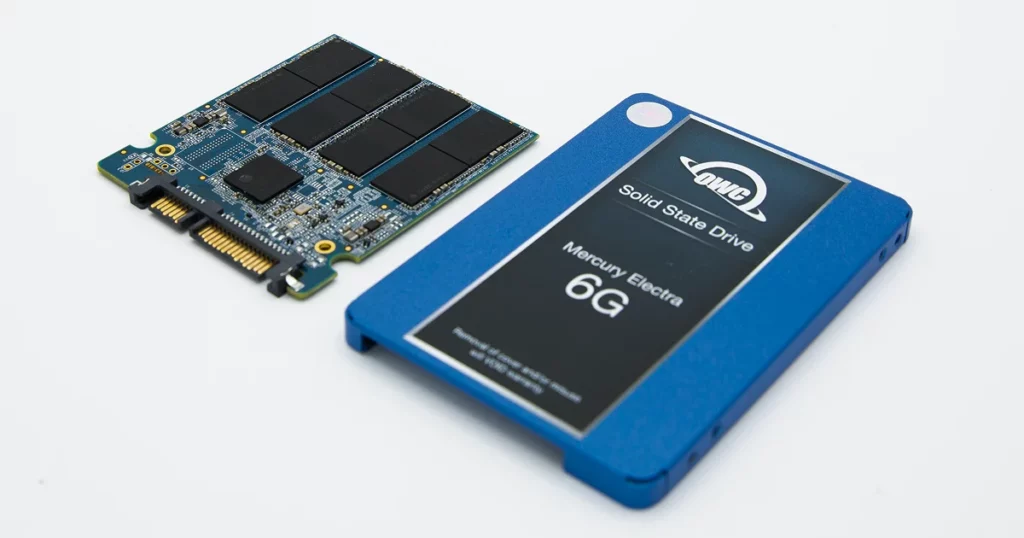
When a high-performance SSD suddenly stops responding, the consequences for a business can be immediate and severe. Unlike traditional hard drives that might provide warning signs like clicking or slow performance, solid-state drives often fail silently and completely.
This case study examines a recent recovery performed by PITS Data Recovery involving an OWC Mercury Electra 6G SSD that suffered a critical firmware failure, leaving a small business owner in the Northeast without access to essential operational files.
The Client Situation: Critical Operations Interrupted
The client, a small business owner in digital architecture, used an OWC Mercury Electra 6G SSD as their primary workstation drive.
Without warning, the system failed to boot, and the drive was no longer recognized. The outage stopped active projects and put deadlines at risk.
For many professionals, an SSD not appearing in the BIOS is an early sign of serious hardware failure. In this case, the drive held unbacked-up project files representing weeks of work.
Read more about what to do when your SSD is not showing up to understand the first steps in diagnosing this type of failure.
Industry-Leading 99% Success Rate
No hidden fees. No surprises. Just expert data recovery you can trust. We handle everything from simple file loss to extreme data recovery cases. If we can’t recover your data, no one can.
Technical Diagnosis: Why the OWC SSD Failed
Initial diagnostics at the PITS Data Recovery lab confirmed that the issue was not a simple file system error or a loose connection. Instead, the OWC SSD had experienced firmware-level corruption.
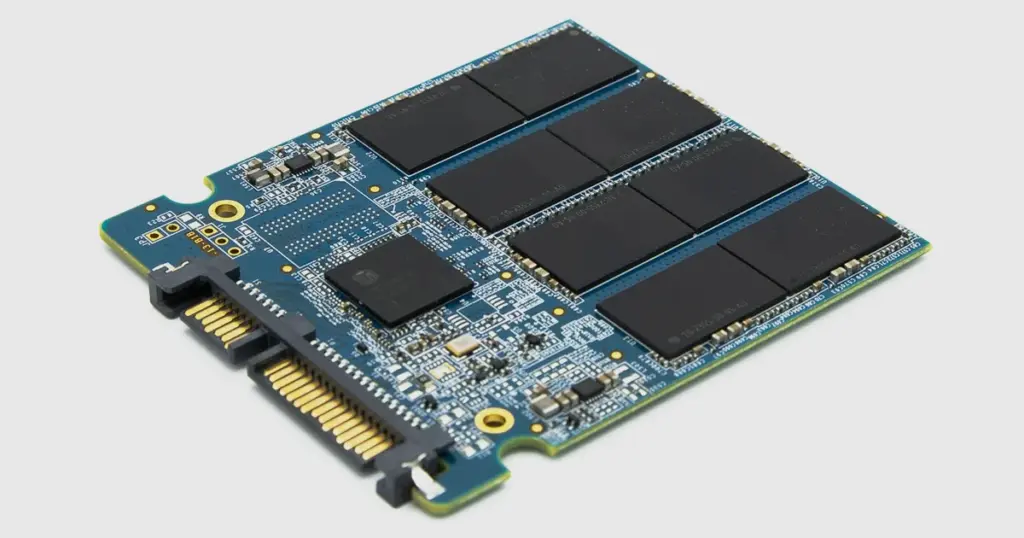
Firmware acts as the operating system for the drive itself, managing how data is written to and read from the NAND flash chips. When the firmware or the SSD controller fails, the drive essentially “forgets” how to communicate with the rest of the computer.
This is a complex failure mode because the data is still physically present on the flash chips, but the roadmap required to find and assemble that data is missing.
To learn more about OWC SSD data recovery challenges, visit our detailed guide.
Do not repeatedly restart a failed SSD. Power cycling an unrecognized drive can trigger internal maintenance tasks that overwrite data or worsen firmware corruption.

The PITS Approach: Specialized Firmware Reconstruction
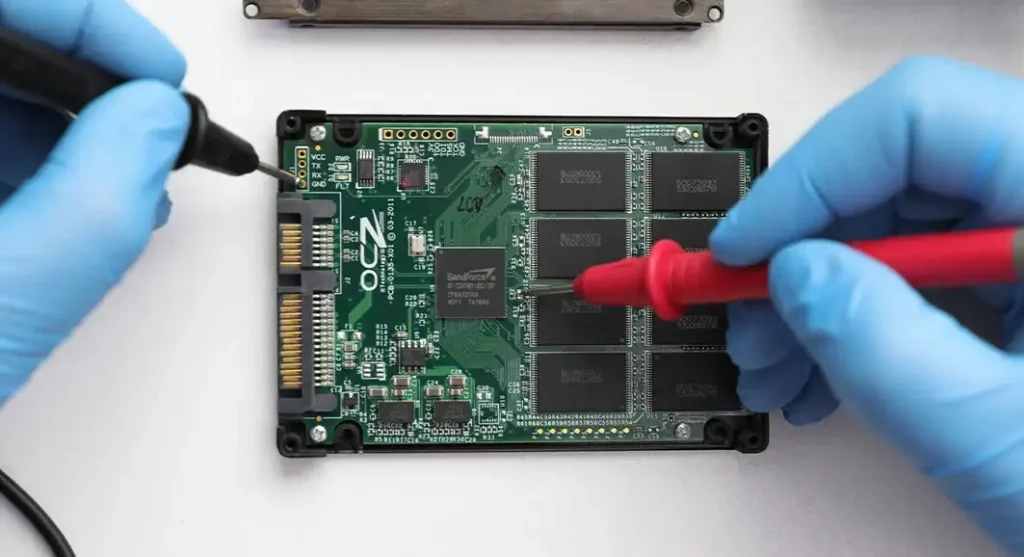
Recovering data from a failed OWC Mercury Electra 6G requires more than standard recovery tools. Our engineers performed low-level operations targeting the SSD controller and NAND architecture directly.
The process involved:
Stabilizing the Hardware
Ensuring the drive could maintain a stable power state without triggering further internal errors.
Controller Interfacing
Using proprietary laboratory equipment to communicate with the drive in a specialized technological mode.
Logical-to-Physical Mapping
Reconstructing the complex tables that map how the controller distributes data across the various flash memory cells.
Bit-for-Bit Imaging
Creating a complete clone of the raw data once the firmware was bypassed.
This type of recovery requires deep expertise in how specific controllers manage data. Read more about our specialized OWC data recovery services to see how we handle these brand-specific challenges.
Your Data Security Is Our Priority
Data privacy isn’t optional. It’s our commitment. Our secure recovery process ensures your sensitive information stays protected from start to finish.
HIPAA Compliant
GDPR Compliant
Secure Facility
NDA Available
Trust in certified security. Start your recovery today! Call Now: 888.611.0737
Recovery Outcome: Restoring Business Continuity
Despite the complexity of the firmware corruption, PITS Data Recovery successfully restored access to the storage volume. After reconstructing the logical mapping, our engineers recovered the client’s files intact.
The client received a full file list for verification, confirming recovery of the critical project data needed to resume operations. Although SSD failures are high-risk, our controlled lab environment supported a strong recovery outcome.
Follow the 3-2-1 backup rule. Keep three copies of your data on two different media types, with one copy off site. SSDs deliver speed, but when they fail, recovery often depends on specialized expertise.

Why Professional SSD Data Recovery Service is Mandatory
SSDs do not degrade gracefully. When a controller fails or the firmware becomes corrupted, the drive typically enters a “fail-safe” or “locked” state that prevents any standard operating system from reading the data.
Attempting to use consumer-grade “recovery software” on a drive with firmware issues is often counterproductive, as the software cannot communicate with a drive that the BIOS cannot see.
A professional SSD data recovery service provides the cleanroom environment and controller-level tools necessary to bypass these hardware locks safely.
Learn more about our comprehensive SSD data recovery service options to find the right solution for your device.

DIY Recovery
Risks permanent data loss
Let the Specialists Handle It
DIY attempts often result in permanent data loss. Our certified recovery specialists use advanced tools in controlled environments for the highest success rate.

24/7 Emergency Service
Final Takeaway and Next Steps
The recovery of the OWC Mercury Electra 6G SSD demonstrates that even when a drive appears “dead” to a computer, the data is often still recoverable through professional intervention.
For businesses and IT managers, the key is to stop using the device immediately upon failure and seek a technical evaluation.
If you are facing an inaccessible SSD or a critical hardware failure, contacting a specialist early is the most effective way to protect your data.
Frequently Asked Questions
Can I recover data from an SSD that is not recognized by my computer?
Does PITS Data Recovery handle encrypted SSDs?
Can PITS Data Recovery recover files from an SSD with firmware corruption?
Is it safe to use software to fix an OWC SSD firmware error?
Can you recover data from an SSD after a BIOS "Disk Boot Failure" message?
Get a Free Consultation.
Our recovery experts are ready to assess your device and guide you through the safest path to recovery. Fill out the form to get started.
"*" indicates required fields