


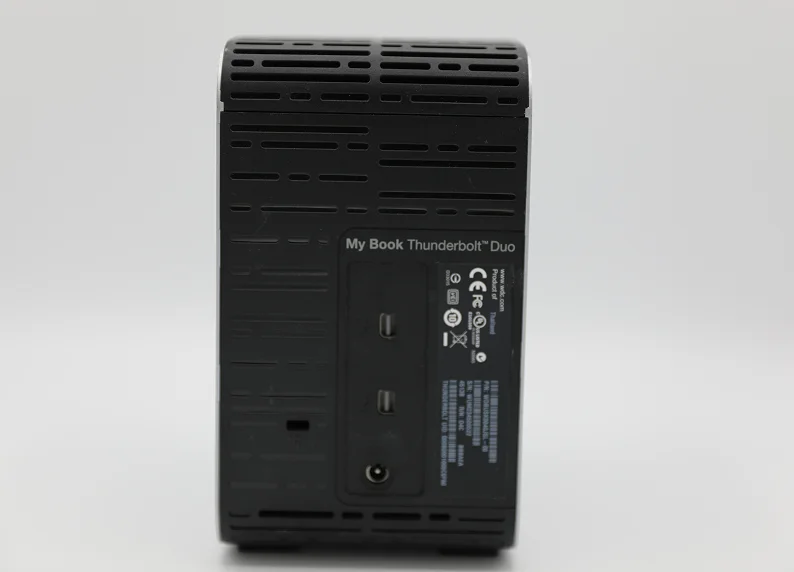
When a WD My Book Thunderbolt Duo fails, it is rarely a simple fix. Because these devices are frequently configured in RAID 0 (Striping) to maximize speed and capacity, they possess no native redundancy.
If one drive develops a fault or the controller loses the array configuration, the entire volume becomes inaccessible.
At PITS Data Recovery, we recently managed a critical case involving a failed Thunderbolt Duo that serves as a roadmap for successful recovery in high-risk RAID scenarios.

The Client Situation and Stakes
A creative professional in California contacted our team after their WD My Book Thunderbolt Duo suddenly failed to mount. The drive contained over 4TB of high-resolution video projects and production assets.
The client had configured the device in RAID 0 for high-speed editing performance, unaware that this setup meant that a single point of failure would jeopardize the entire dataset.
With a looming project deadline, the inability to access these files represented a significant threat to their business reputation and revenue.
For more information on similar hardware challenges, you can read more about WD Thunderbolt Duo recovery.
Industry-Leading 99% Success Rate
No hidden fees. No surprises. Just expert data recovery you can trust. We handle everything from simple file loss to extreme data recovery cases. If we can’t recover your data, no one can.
What Went Wrong: The RAID 0 Breakdown
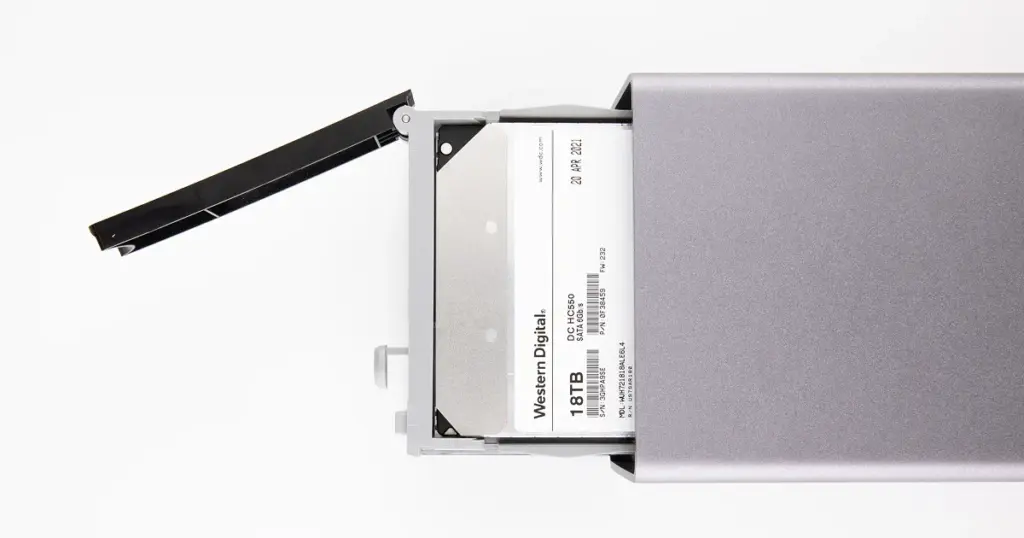
Upon arrival at our lab, our engineers identified a two-fold problem. The device was suffering from hardware instability on one of the internal drives, which had caused the RAID controller to drop the volume.
In a RAID 0 configuration, data is spread across both disks at the block level. Without the “striping” map provided by the controller, the data exists only as fragmented bits that no operating system can recognize.
To understand how we handle these specific brand-related failures, you can learn more about Western Digital hard drive recovery.
Avoid attempting to rebuild a RAID 0 array with consumer software if hardware failure is suspected. Forcing a damaged drive to spin during scans can cause irreversible platter damage and permanent data loss.
How PITS Approached the Recovery
The recovery required a controlled, multi-stage engineering process to bypass the failed hardware and reconstruct the logical volume manually.
Imaging and Stabilization
Each physical drive was cloned at the bit level in our specialized lab to prevent further wear on the original media.
Manual RAID Reconstruction
Our specialists analyzed the striping constants, including block size and parity rotation, to manually align the data across the drive images.
File System Mounting
Once the RAID structure was stabilized, we successfully mounted the underlying Linux-based file structure used by Western Digital’s internal firmware.
Extraction
The data was moved from the virtualized RAID environment to a secure, stable storage server.

Recovery Outcome
The result was a complete recovery of all critical files. Our engineers validated the integrity of the video files and project libraries, ensuring that the file headers were intact and the data was usable for the client.
The recovered data was then transferred to a new, encrypted external drive and shipped back to the California office via overnight delivery.
If your device is showing a warning light, you may want to learn more about WD My Cloud red light recovery for diagnostic tips.
Don't Let Data Loss Ruin Your Business
Minimize business disruption. We retrieve lost data fast, so you can focus on what matters.
Prevention and Best Practices
To protect your data and ensure long-term reliability, follow these guidelines:
- Avoid RAID 0 for critical files: Use it only for performance-heavy tasks where data is mirrored or backed up elsewhere.
- Follow the 3-2-1 rule: Keep three copies of your data on two different media types, with one copy off-site or in the cloud.
- Monitor hardware health: Watch for clicking sounds, slow performance, or persistent software error messages.
- Protect from power issues: Use an uninterruptible power supply (UPS) to prevent surges or sudden shutdowns that can damage controllers.
Start Your Secure Recovery Evaluation
Professional data recovery is a specialized technical service that requires precision. If you are experiencing a RAID failure, the most effective step is to stop using the device immediately to prevent further damage.
Speak with a PITS recovery specialist today to discuss your case, request a secure evaluation, and get the guidance you need to restore your data safely.

DIY Recovery
Risks permanent data loss
Let the Specialists Handle It
DIY attempts often result in permanent data loss. Our certified recovery specialists use advanced tools in controlled environments for the highest success rate.
24/7 Emergency Service
Frequently Asked Questions
What should I do immediately after noticing a drive failure?
Can data be recovered from a RAID 0 if one drive fails?
What are the common signs of a Western Digital RAID failure?
Why should I avoid using free recovery software on a failed RAID?
Get a Free Consultation.
Our recovery experts are ready to assess your device and guide you through the safest path to recovery. Fill out the form to get started.
"*" indicates required fields