

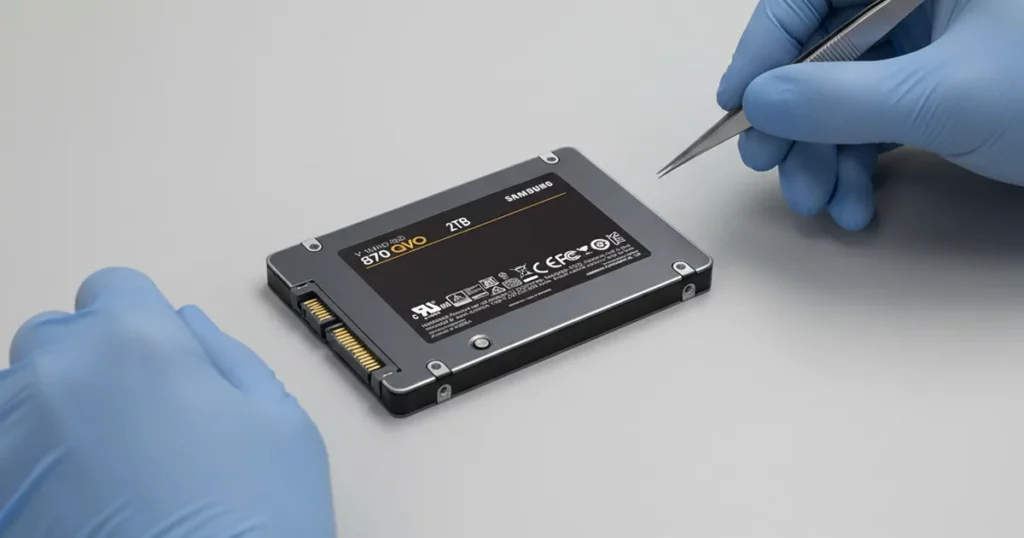
A customer reported that a Samsung 870 QVO 2TB SSD was suddenly not recognized by their PC, blocking access to a large Steam game library and related files. Troubleshooting attempts did not restore visibility.
This case study outlines how we validated the failure profile, used a controlled clone-first workflow to manage bad sectors, and recovered game data with integrity checks before final transfer.
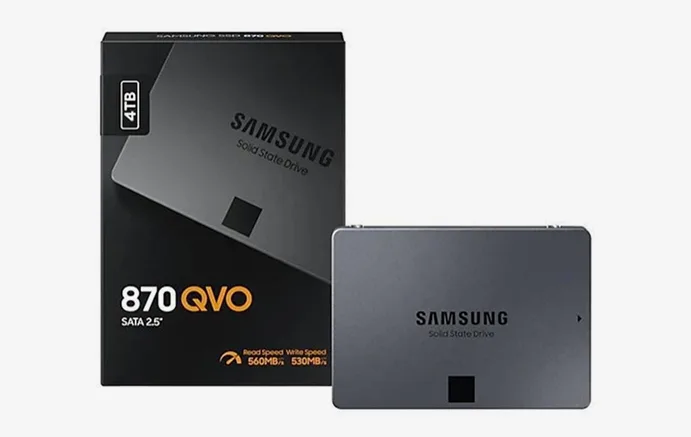
Problem Summary: SSD Not Recognized and Data at Risk
The client’s PC could not recognize the Samsung 870 QVO SSD. From an operational standpoint, that means the system cannot reliably communicate with the drive, so access to data is effectively blocked.
What the client saw
SSD not detected or not recognized by the system
Repeated troubleshooting attempts with no improvement
No access to the Steam library and stored files
What was at risk
Continued testing can trigger further degradation if bad sectors are involved
Certain SSD failure modes can escalate quickly due to wear-leveling behavior
“Fix” attempts may introduce overwrites, making file reconstruction harder

DIY Recovery
Risks permanent data loss
Let the Specialists Handle It
DIY attempts often result in permanent data loss. Our certified recovery specialists use advanced tools in controlled environments for the highest success rate.

24/7 Emergency Service
Diagnostic Highlights: Why the SSD Was Not Recognized
When an SSD is not recognized, it is usually not a Windows setting. It is the drive failing to complete its normal initialization handshake.
What we checked first
External condition for obvious physical defects
Detection behavior in a controlled test system (not the client’s PC)
Whether the SSD reports consistently or drops out under read attempts
What the symptoms pointed to
The system could not reliably identify the SSD, indicating an internal issue rather than a simple file problem
The failure profile aligned with degraded media behavior, including bad sectors, which is common on heavily used SSDs
If the SSD cannot stay stable during identification, file level recovery is premature. You have to secure a clone first or you risk losing ground with every attempt.
Stepwise Recovery Workflow
Step 1: Sector by sector cloning
- We used specialized recovery software to clone the SSD at the sector level
- The goal was to capture as much readable data as possible while minimizing repeated reads on weak areas
Step 2: Work from the clone, not the original
- All analysis and extraction was performed on the cloned image
- This isolates recovery steps from the failing SSD and prevents additional wear events
Step 3: Recover and reconstruct the Steam library
- Extracted recoverable game files and library folders from the clone
- Rebuilt missing or damaged elements where possible to restore usable game data
Step 4: Integrity checks and controlled output
- Validated recovered files for usability
- Prepared the final data set for transfer to a new drive
Your Data Security Is Our Priority
Data privacy isn’t optional. It’s our commitment. Our secure recovery process ensures your sensitive information stays protected from start to finish.
HIPAA Compliant
GDPR Compliant
Secure Facility
NDA Available
Trust in certified security. Start your recovery today! Call Now: 888.611.0737
Outcome and Data Integrity Validation
We recovered the Steam library dataset from the cloned image, not from the live SSD. This approach let us extract data while controlling read pressure on unstable areas linked to bad sectors.
After extraction, we ran integrity checks to confirm the recovered content was usable, not just present.
We then organized the output into a clean library-ready structure and transferred the recovered files to a new SSD selected for reliability and stable gaming performance.
See related cases: Recovered vlogger videos from Samsung T9 SSD.
Watch the Client’s Review Video
Don't Let Data Loss Ruin Your Business
Minimize business disruption. We retrieve lost data fast, so you can focus on what matters.
What Not to Do When an SSD Is Not Detected
If an SSD is not recognized, the wrong troubleshooting can accelerate failure. Keep it simple and risk-controlled.
Avoid
- Repeated reboots, reconnects, and “one more try” power cycles
- Firmware updates or vendor utilities on a drive that will not stay detected
- Disk checks and repair tools that write changes to the drive
- Cloning with basic tools that cannot handle read instability
Do
- Stop testing and keep the SSD powered off
- Document symptoms and any recent events (update, crash, power loss)
- Escalate to a clone-first workflow before any file recovery steps
Explore Samsung SSD Data Recovery Services to see how we handle not-recognized drives and bad-sector cases:
Contact Us for Samsung SSD Data Recovery
If your Samsung 870 QVO is not recognized, stop DIY fixes and shift to a controlled recovery path. SSD failures can escalate fast once the drive becomes unstable.
Send your SSD model, capacity, and the exact symptom you see, and we will reply with the next steps.
See related cases: Samsung EVO 860 SSDs failed in RAID 0.
Get a Free Consultation.
Our recovery experts are ready to assess your device and guide you through the safest path to recovery. Fill out the form to get started.
"*" indicates required fields